Lake McDonald Sunset and Timelapse

Kyle Jones

Moderator
I have to say, I am definitely catching the timelapse bug. I usually don't have the patience to leave my camera untouched for hours, but when I do the results have been fun. I'm using the Panasonic S1RII which has a really nice timelapse exposure leveling feature that creates smooth transitions as the light changes during sunset. I did some practice runs from my home to dial in my process, and I'll probably describe that in a post on my website sometime soon. Short version: I use the automatic exposure leveling during sunset in aperture priority mode with a fixed ISO. This prevents the camera from ramping the ISO too quickly and gives me a nice sunset to deep twilight video. Once it reaches my final desired exposure time (10 seconds for this one) I stop the timelapse, turn off the exposure leveling, and switch to manual mode. From there I manually ramped the ISO up to 3200. I knew the clouds were coming in and that it would be hours before the Milky Way would appear so I didn't stick around for stars. I used LRTimelapse to assemble the frames and deflicker and Davinci Resolve to assemble the final video.

Enough about that... Here is my favorite frame during sunset.
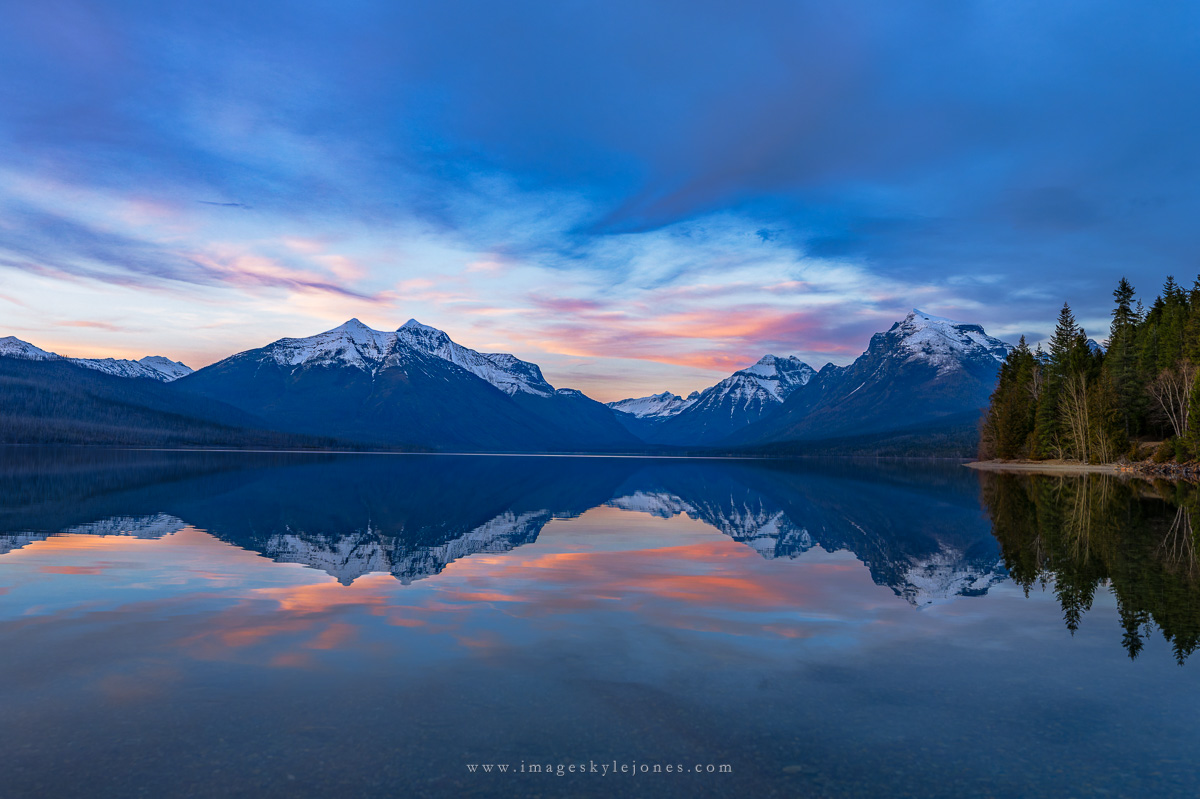
6052 Lake McDonald Cloud Colors_1200.jpg


And here is the video I assembled from that night at Lake McDonald along with a sunset looking toward the mountains from Whitefish to Glacier.


AlanLichty

Moderator
I like that you kept the timelapse short - really long ones often fail to keep my attention for the full duration. The racing clouds in the second part were kind of fun. Nice work.
 

JimFox

Moderator
Staff member
Super cool Kyle! I liked this a lot. I am glad you are getting into Timelapses more, without Ben here it's just me doing timelapses now.

And that's great how smoothly the transitions as it got darker were. Nikon has a similar smoothing setting, though I am not sure it works as well as what you have there.

Did you capture it as a timelapse movie, or single images and then compile in Davinci?
 

Kyle Jones

Moderator
Super cool Kyle! I liked this a lot. I am glad you are getting into Timelapses more, without Ben here it's just me doing timelapses now.

And that's great how smoothly the transitions as it got darker were. Nikon has a similar smoothing setting, though I am not sure it works as well as what you have there.

Did you capture it as a timelapse movie, or single images and then compile in Davinci?
I captured single images and used LRTimelapse to edit and assemble. I just used Davinci for titles, transitions and music
 
I have to say, I am definitely catching the timelapse bug. I usually don't have the patience to leave my camera untouched for hours, but when I do the results have been fun. I'm using the Panasonic S1RII which has a really nice timelapse exposure leveling feature that creates smooth transitions as the light changes during sunset. I did some practice runs from my home to dial in my process, and I'll probably describe that in a post on my website sometime soon. Short version: I use the automatic exposure leveling during sunset in aperture priority mode with a fixed ISO. This prevents the camera from ramping the ISO too quickly and gives me a nice sunset to deep twilight video. Once it reaches my final desired exposure time (10 seconds for this one) I stop the timelapse, turn off the exposure leveling, and switch to manual mode. From there I manually ramped the ISO up to 3200. I knew the clouds were coming in and that it would be hours before the Milky Way would appear so I didn't stick around for stars. I used LRTimelapse to assemble the frames and deflicker and Davinci Resolve to assemble the final video.

Enough about that... Here is my favorite frame during sunset.

View attachment 88555

And here is the video I assembled from that night at Lake McDonald along with a sunset looking toward the mountains from Whitefish to Glacier.

Kyle,

Stunning

Oliver
 
Top Bottom