

Mike Lewis
Staff Member
(I have already posted this on Cloudy Nights, but with such an active and accomplished group of astroimagers now here on FocalWorld I thought I would repost here, in case someone has some thoughts...)
So I am just getting back imaging with a new camera/filterwheel combo, and have been seeing some strange artifacts in many of my subframes. I am thinking it might be some internal reflection issues, but I am not sure. It seems to have a bit of a strange interrelationship with various areas I might be pointing, although I really do not have enough data yet to fully establish that.
The Setup:
The Problem:
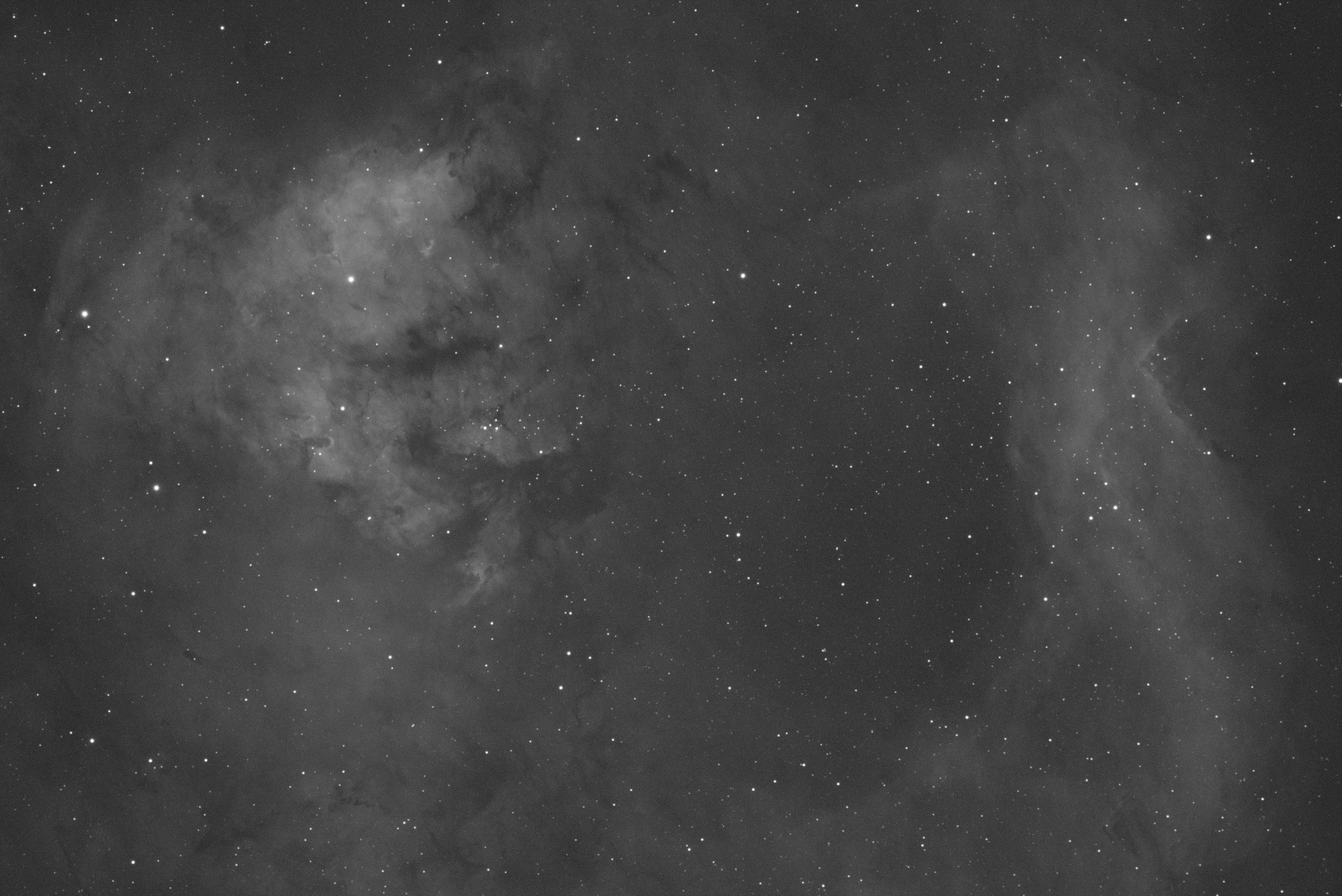
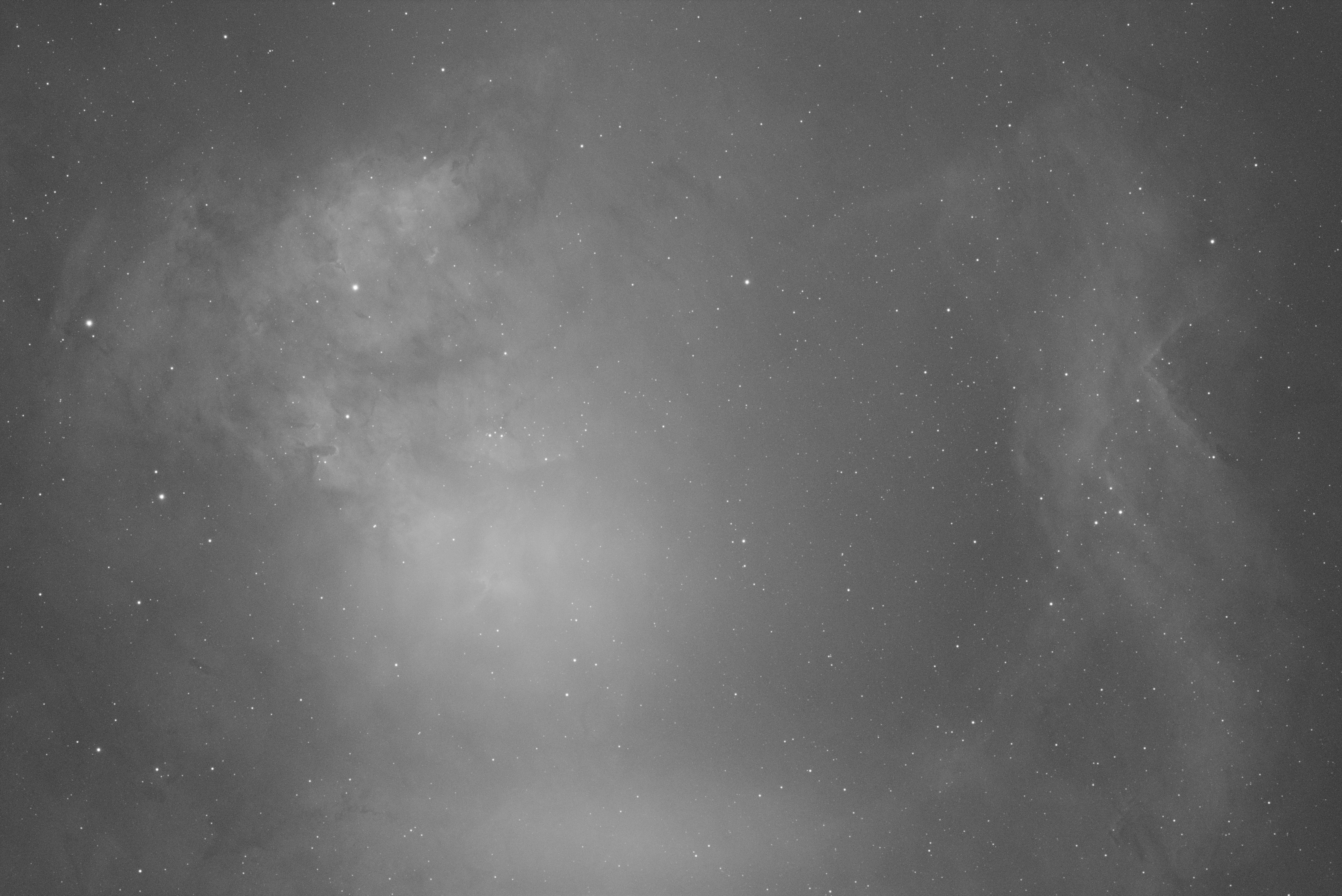
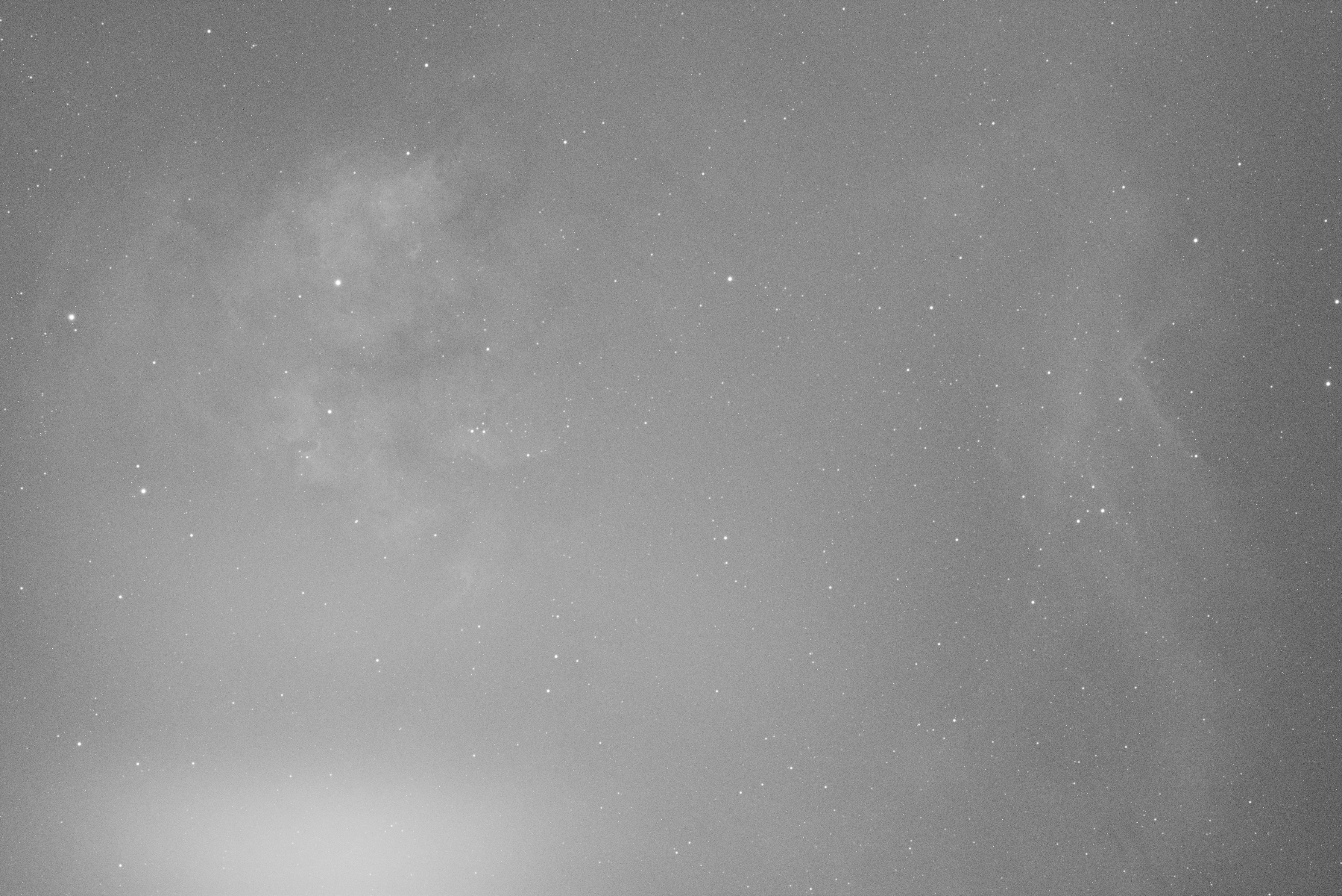
I am getting weird bright areas in many images (not all of them) with many of my filters, including the NB ones. It varies from a subtle loss of contrast in a specific area to an almost full wipeout of the image, and from covering a diffuse portion of the lower part of the sensor, to a well defined hot spot. All examples shown here shot with Ha filter, but I think this is happening with other filters as well (still trying to characterize…)
Examples (Mostly Sh2-171 data):
A ‘good’ subframe:
Diffuse Artifact:
Full Wipeout of Contrast:
Spot Artifact (taken on a different part of sky another night in the worst offending orientation it seemed like)
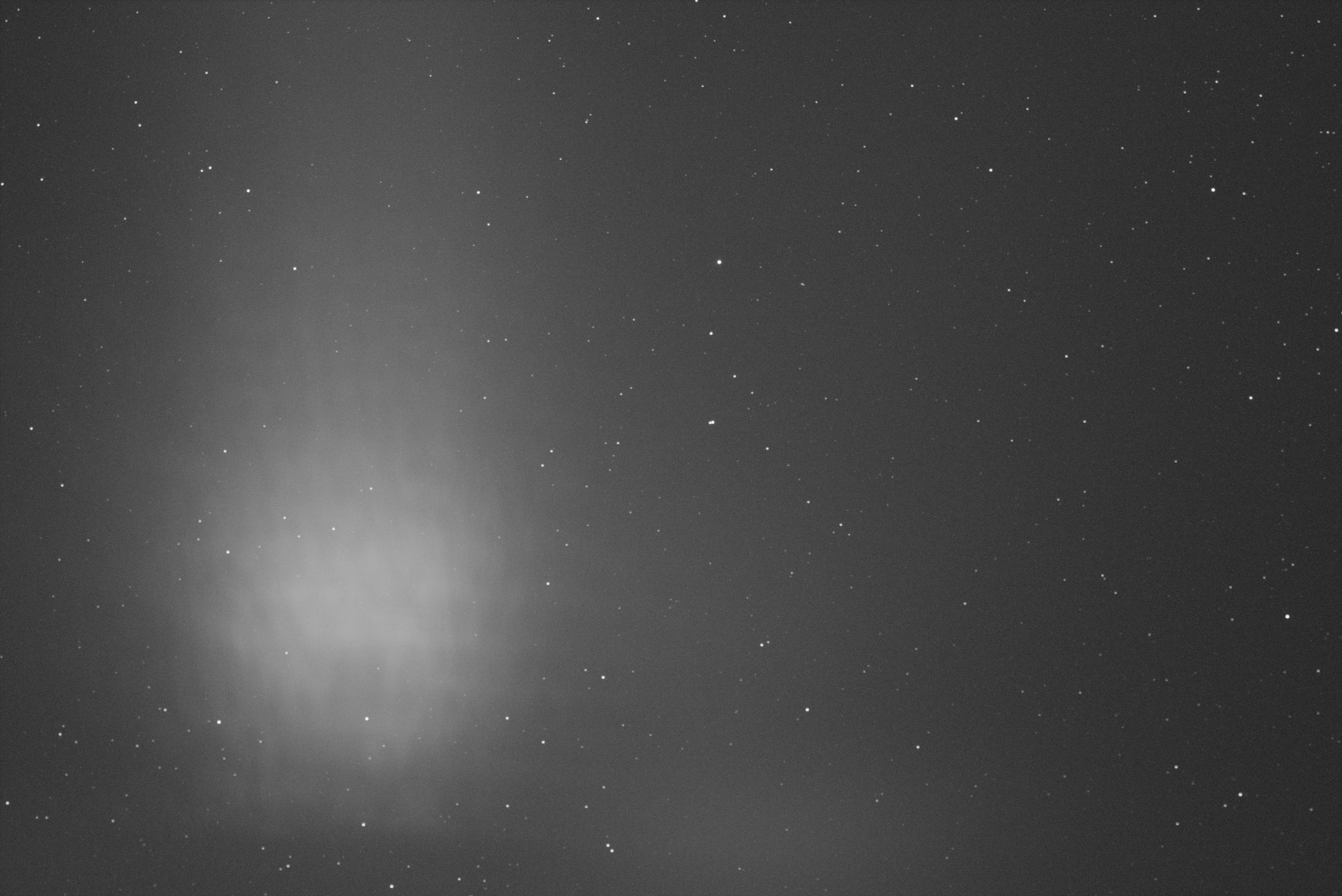
This seems to be very repeatable in a certain direction, but I think it is present in many of my subframes even those that are not pointing in this ‘worst’ direction.
I have noticed that the QHY filterwheel is shiny black anodize inside, which I could imagine would be prone to reflections, and the spot image seems to show some ‘texture’ in it. While the directionality relationship seems to speak more to LP, I do not think I have seen much LP in the past at least with my old setup using the Astrodon 5nm Ha filter, and to me these effects just don’t look like light pollution to me as they seem to have too much definition.
Questions:
Thanks bunches,
ML
So I am just getting back imaging with a new camera/filterwheel combo, and have been seeing some strange artifacts in many of my subframes. I am thinking it might be some internal reflection issues, but I am not sure. It seems to have a bit of a strange interrelationship with various areas I might be pointing, although I really do not have enough data yet to fully establish that.
The Setup:
- OTA – Stellarvue SVQ100 refractor, 580mm @ f/5.8, used previously with no apparent issues with an ASI1600 mono setup
- Camera – QHY268M-PH
- Filterwheel – QHYCFW3L
- Filters – Antlia Pro 3nm NB and version V LRGB filters, 2 inch mounted (thread in)
The Problem:
I am getting weird bright areas in many images (not all of them) with many of my filters, including the NB ones. It varies from a subtle loss of contrast in a specific area to an almost full wipeout of the image, and from covering a diffuse portion of the lower part of the sensor, to a well defined hot spot. All examples shown here shot with Ha filter, but I think this is happening with other filters as well (still trying to characterize…)
Examples (Mostly Sh2-171 data):
A ‘good’ subframe:
Diffuse Artifact:
Full Wipeout of Contrast:
Spot Artifact (taken on a different part of sky another night in the worst offending orientation it seemed like)
This seems to be very repeatable in a certain direction, but I think it is present in many of my subframes even those that are not pointing in this ‘worst’ direction.
I have noticed that the QHY filterwheel is shiny black anodize inside, which I could imagine would be prone to reflections, and the spot image seems to show some ‘texture’ in it. While the directionality relationship seems to speak more to LP, I do not think I have seen much LP in the past at least with my old setup using the Astrodon 5nm Ha filter, and to me these effects just don’t look like light pollution to me as they seem to have too much definition.
Questions:
- Has anyone experienced anything like this before?
- Has anyone had issues with internal reflections with a QHYCFW3 filter wheel?
- Has anyone seen this type of behavior using Antlia Pro filters?
Thanks bunches,
ML

