Milky Way over Lake Tahoe

Josh Dye

Well-Known Member
Hey everyone,

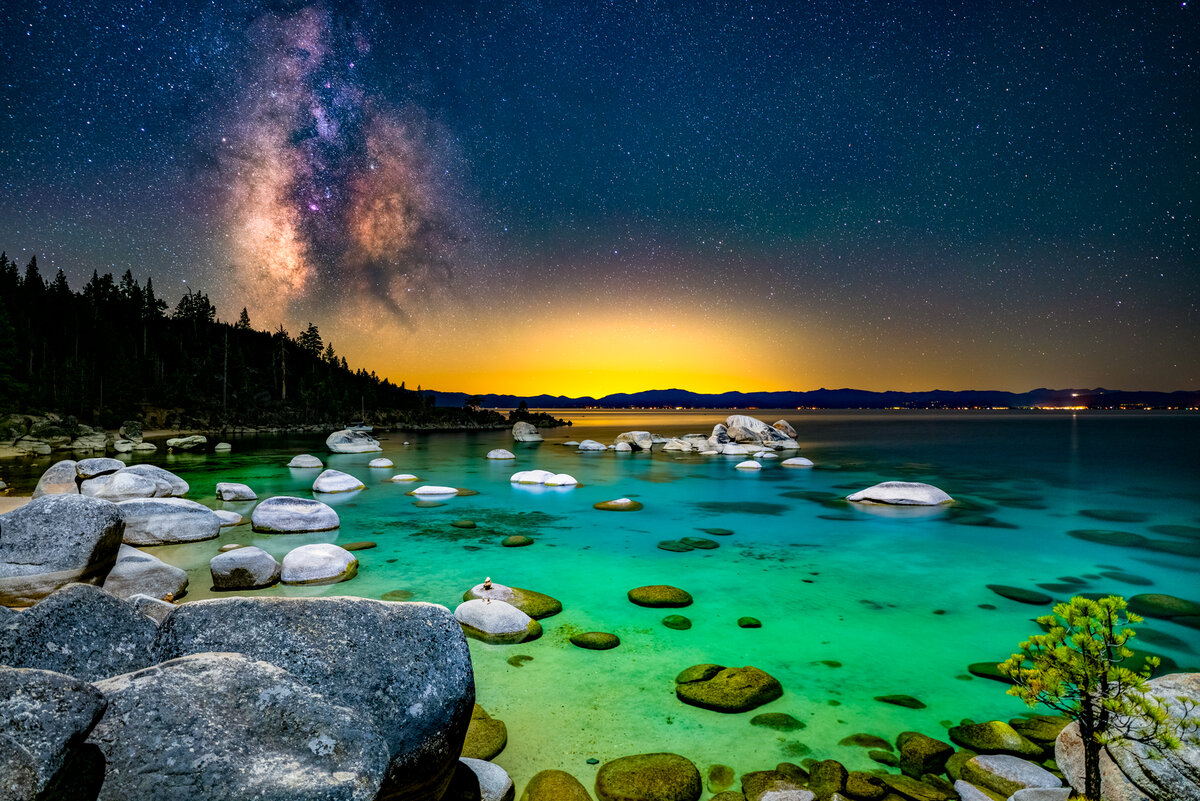
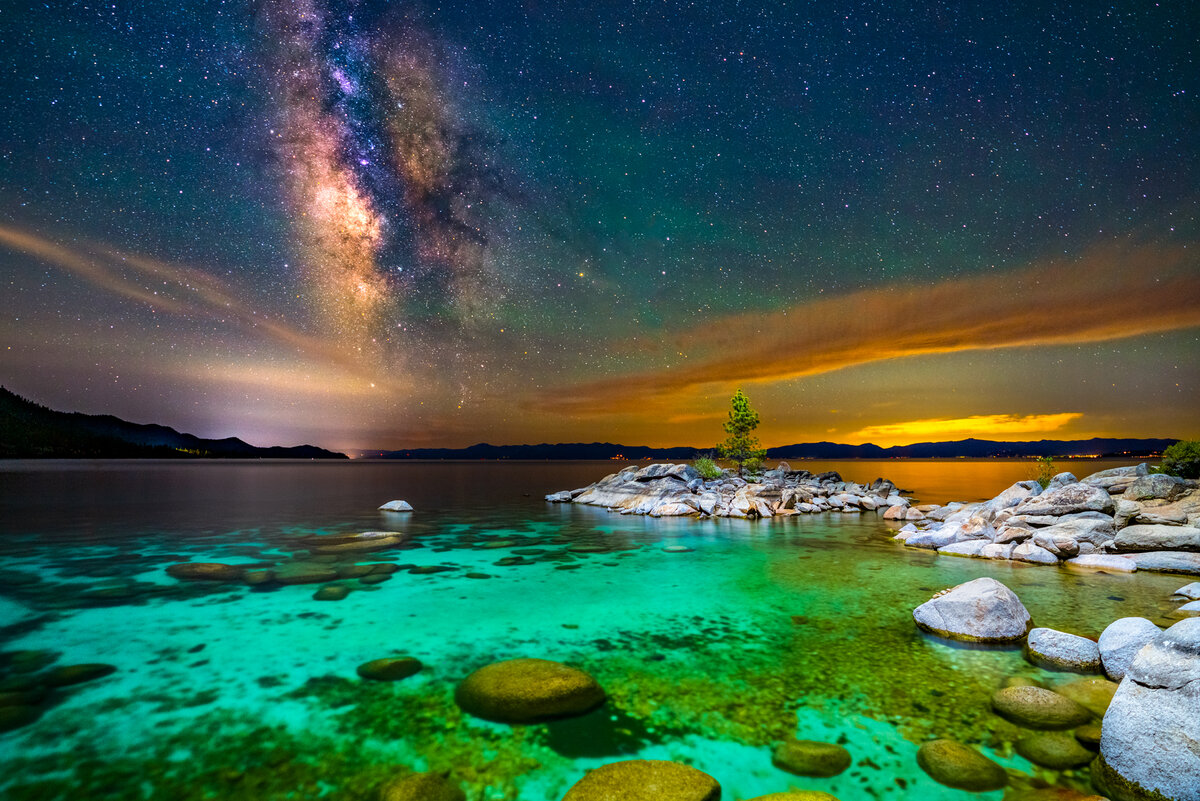
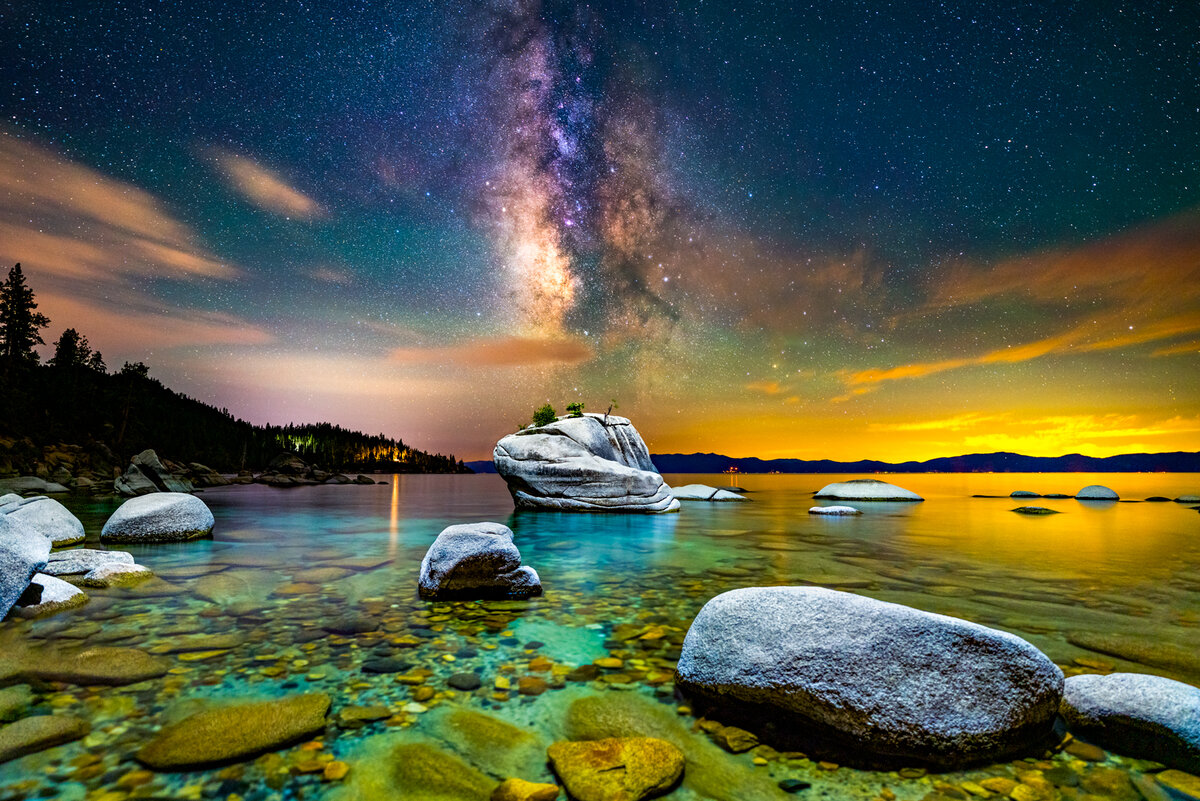
I thought I would share a few images I took this past month of the Milky Way over 3 different locations in Tahoe. Each photo was light painted with my drone from above that was holding two Lume Cubes at low power to illuminate the foreground.

I'm definitely not over the moon about how the final two images came out. I think it really has to do with how low the water level has gotten in the last year and my compositions aren't too amazing either. Still something I thought I would share!

Open to any comments or suggestions on the images!
Bonsai-MW-Horizontal-2.jpg


Whale-Beach-MW.jpg


Gnat-Attack.jpg
 

JimFox

Moderator
Staff member
Very cool Josh! That's great you got out to shoot the Milky Way, and the drones look like such a great way to light up the ground.

My favorites are in this order, #1, 3 and then 2.

Again great work with these! I do have a suggestion for you with the drone light painting. Do you have any control over the light coming from the light cubes? I think in all of these, if the rocks were just lit up half as much as they are, it would be perfect. Those dry rocks reflect light so well, too well in fact. :) Can you maybe just turn on 1 Light Cube instead of two? Or does it not light up evenly then? Otherwise, you could use Color Range, select the rocks and just warm them up some. Changing their color cast from cool to warm I think will also help them not appear as bright. They don't need to look orange, but just warming them up a bit will help them I think.

I am really jealous with your ability to use the drone to light up the ground layer. I have thought about getting a drone to have some fun with, but lighting up the ground with it at night is something I always forget that I could do with it.
 

AlanLichty

Moderator
Your drone can put down an amazing amount of light. The overhead light brings out an amazing shade of turquoise in the water but it's almost a bit too much light and almost makes the scene feel like you were shooting near stadium lights. Composition wise I like the elements in the first image quite a bit but would be inclined to drop the foreground lighting a bit in post processing.
 

Josh Dye

Well-Known Member
Very cool Josh! That's great you got out to shoot the Milky Way, and the drones look like such a great way to light up the ground.

My favorites are in this order, #1, 3 and then 2.

Again great work with these! I do have a suggestion for you with the drone light painting. Do you have any control over the light coming from the light cubes? I think in all of these, if the rocks were just lit up half as much as they are, it would be perfect. Those dry rocks reflect light so well, too well in fact. :) Can you maybe just turn on 1 Light Cube instead of two? Or does it not light up evenly then? Otherwise, you could use Color Range, select the rocks and just warm them up some. Changing their color cast from cool to warm I think will also help them not appear as bright. They don't need to look orange, but just warming them up a bit will help them I think.

I am really jealous with your ability to use the drone to light up the ground layer. I have thought about getting a drone to have some fun with, but lighting up the ground with it at night is something I always forget that I could do with it.
Thanks for the kind words Jim! I do have some ability to change the amount of light that casts from the cubes but it’s incredibly hard to adjust in the field. Once the drone is up it really only has about 10 minutes before the battery runs out and half the time I can’t tell if the rocks are blown out in the scene until I get home to edit them :(. I’ve actually tried to do exactly that in Lightroom to fix the rocks but a few of the rocks, especially in the 2nd photo are totally blown out. However though, I haven’t tried to warm them up like you said so I’ll go ahead and try that on the rocks! Thanks for the tip!

And I highly recommend getting a drone! They’re super fun and versatile for so many things. One of my favorite photos I’ve ever taken was with my drone but now all I use it for is light painting with the Milky Way!
 

Ben Egbert

Forum Helper
Staff member
1st is my favorite followed by the 3rd. Milky way lighting and color are all very personal since we can't see a Milky Way in person they way a camera and long shutter can. But I agree, the added light is more than I would have chosen.

Here is a mystery, the first one appears to have the water light painted all the way out to the horizon on the right side. So does the 3rd. How did you get light painting to extend so far?
 

Josh Dye

Well-Known Member
Your drone can put down an amazing amount of light. The overhead light brings out an amazing shade of turquoise in the water but it's almost a bit too much light and almost makes the scene feel like you were shooting near stadium lights. Composition wise I like the elements in the first image quite a bit but would be inclined to drop the foreground lighting a bit in post processing.
Thanks Alan! I think I need to go back into the images and just bring down the exposure in the foreground. Its just super difficult to do because at higher ISO values you lose some of that dynamic range to bring down highlights. Thanks for the tip!
 

Josh Dye

Well-Known Member
1st is my favorite followed by the 3rd. Milky way lighting and color are all very personal since we can't see a Milky Way in person they way a camera and long shutter can. But I agree, the added light is more than I would have chosen.

Here is a mystery, the first one appears to have the water light painted all the way out to the horizon on the right side. So does the 3rd. How did you get light painting to extend so far?
The light that seems to extend towards the horizon is actually just the reflection from the clouds way in the distance. Pretty crazy how the long exposure captures it!
 

Timmeh

Well-Known Member
Hey Josh,

You got excellent detail in the Milky Way! The Lume Cubes are not just lighting things up too brightly, but it looks like the drone was directly behind you. This makes the light near shadowless and flat. Light painting from an angle would make the light more interesting. I know it's probably your preference, but the saturation slider was pushed way too far for my liking. Choosing a few colors like the color of the water to draw out rather than everything would make it have more impact.

Tim
 

Kyle Jones

Moderator
Another option is to capture an image without any extra lighting before sending the drone up. Then you can blend the images to add only as much light as you like.

The drone lighting really does add an extra dimension to these. Very nice work.
 

Josh Dye

Well-Known Member
Hey Josh,

You got excellent detail in the Milky Way! The Lume Cubes are not just lighting things up too brightly, but it looks like the drone was directly behind you. This makes the light near shadowless and flat. Light painting from an angle would make the light more interesting. I know it's probably your preference, but the saturation slider was pushed way too far for my liking. Choosing a few colors like the color of the water to draw out rather than everything would make it have more impact.

Tim
Thanks for the tips Tim! Next time I’ll definitely make sure to angle the cubes a bit more to have the drone at more of an angle for those shadows. It’s a problem I’ve ran into multiple times now haha. And yeah I should probably tone down the saturation a bit in the images.
 

Josh Dye

Well-Known Member
Another option is to capture an image without any extra lighting before sending the drone up. Then you can blend the images to add only as much light as you like.

The drone lighting really does add an extra dimension to these. Very nice work.
That’s a great alternative to get the detail to look good on those bright rocks! Thanks Kyle!
 
Top Bottom