Let’s play #37

Status
Not open for further replies.

JimFox

Moderator
Staff member
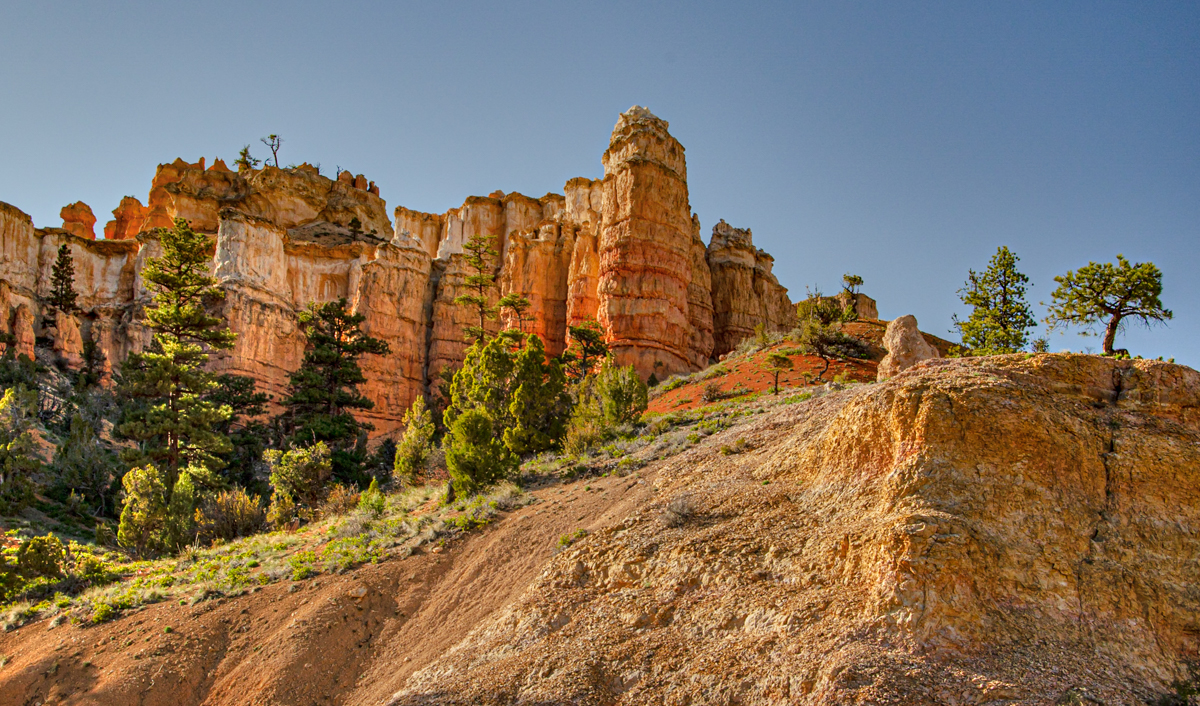
Let me just say the uneven sky to me isn't a real issue here I don't think, and I am super picky about uneven skies. Where uneven skies become an issue is when there is a polarizer blob dead center in the sky.

In this case, the left side of the sky is brighter and the right side is darker. The left side is the light source, so it has to be brighter. So except for a little bit of work perhaps to help the gradiation between the light to dark, I think the sky isn't really an issue.

At least, that's my thoughts on it. :)
 

Ben Egbert

Forum Helper
Staff member
Jim thanks for you thoughts. The original has a vignette look on the right, so I considered it something to fix.
 

JimFox

Moderator
Staff member
Jim thanks for you thoughts. The original has a vignette look on the right, so I considered it something to fix.
I do agree with you Ben, it's a bit too dark in the upper right.

In my edit I am lightening it up some too. But I wanted to state that it wasn't the worst case and I didn't think a ton of work needed to be done with it. The worst case of an uneven sky is when that dark sky is in the middle of the sky.

My efforts to lighten it took about 2 minutes max, mostly in ACR where with the selective color Blue can be lightened up some, along with the shadow adjust lightening it up. Then in Photoshop it's easy to do a layer mask feathered at about 500px, and then again with Selective Color just lighten up the blue a tad.
 

JimFox

Moderator
Staff member
Here is mine. I was thinking similar to Kyle, but our end results are a lot different.

I did the B&W adjust in Photoshop, so I could darken the Blues some. Then I did 2 versions of the ground layer, one where I brightened up the tower area and then one where I darkened the bottom area and I used a layer mask to blend them. I then also went back and darkened the lower right corner.

I also did use the Warp tool to pull a bit of distortion out of the image and to pull out the bottom of the shot.

Let_D7K0842_BW_dw.jpg
 

JimFox

Moderator
Staff member
Kyle, I have to say after seeing your edit now next to mine, I do really like your pushing the light more. Also your crop is cool.
 

Ben Egbert

Forum Helper
Staff member
I do agree with you Ben, it's a bit too dark in the upper right.

In my edit I am lightening it up some too. But I wanted to state that it wasn't the worst case and I didn't think a ton of work needed to be done with it. The worst case of an uneven sky is when that dark sky is in the middle of the sky.

My efforts to lighten it took about 2 minutes max, mostly in ACR where with the selective color Blue can be lightened up some, along with the shadow adjust lightening it up. Then in Photoshop it's easy to do a layer mask feathered at about 500px, and then again with Selective Color just lighten up the blue a tad.
Thanks Jim, I have never used that approach to fixing sky's, I will give it a try. Notice how muddy looking my approach was.
 
Status
Not open for further replies.
Top Bottom