Salvage Week - 05/26/2024

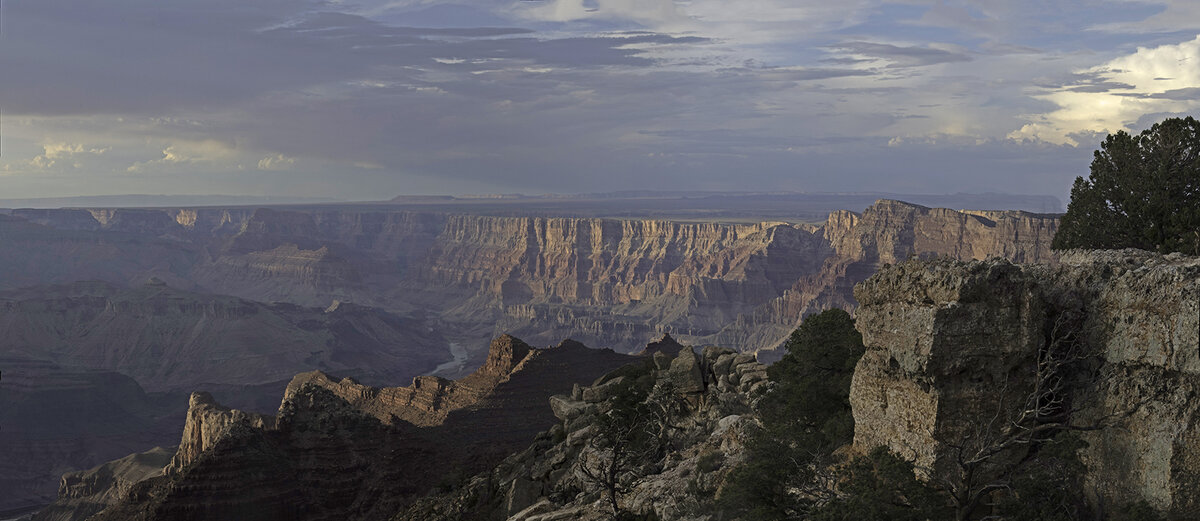
I couldn't get to this last week because I was in NJ attending my granddaughter's graduation. This is a rework of a Grand Canyon image from Lipan Point.

This is a two-stitch panorama on a smokey day. After making the panorama I cropped it to make a better composition and then processed it. I got rid of most of the smoke using Dehaze. This isn't a great image, but it demonstrates how much you can clean up haze.

Original
Lipan Point Panorama-2-Edit.jpg


Rework
Grand Canyon from Lipan Point.jpg
 

Jameel Hyder

Moderator
Staff member
Good work Doug. Its almost like looking at the first image through dirty glasses and then you take them off.
 

Kyle Jones

Moderator
Here's a rework I've been meaning to attempt for a while. I processed the original a long time ago. The photo was taken with a Canon Rebel T1i and lacks the dynamic range of more modern sensors. There is a ton of flare in this image as well. I started with PureRAW4, used some of the new AI remove features in Photoshop, opened the shadows some, and adjusted the colors. Any thoughts are appreciated:

1) Reworked Version
8000 Eagle Falls Sunburst2_1200.jpg


2) Original for reference
8000 Eagle Falls Sunburst_1200.jpg
 

JimFox

Moderator
Staff member
Here's a rework I've been meaning to attempt for a while. I processed the original a long time ago. The photo was taken with a Canon Rebel T1i and lacks the dynamic range of more modern sensors. There is a ton of flare in this image as well. I started with PureRAW4, used some of the new AI remove features in Photoshop, opened the shadows some, and adjusted the colors. Any thoughts are appreciated:

1) Reworked Version
View attachment 72769

2) Original for reference
View attachment 72771
I like the subtle improvements between the 2 Kyle. I haven't had a chance to really try the AI Remove took in Photoshop, when I do remove something it's still pretty much with the Auto-Fill.
 
Here's a rework I've been meaning to attempt for a while. I processed the original a long time ago. The photo was taken with a Canon Rebel T1i and lacks the dynamic range of more modern sensors. There is a ton of flare in this image as well. I started with PureRAW4, used some of the new AI remove features in Photoshop, opened the shadows some, and adjusted the colors. Any thoughts are appreciated:

1) Reworked Version
View attachment 72769

2) Original for reference
View attachment 72771
Beautiful work, Kyle.
 

AlanLichty

Moderator
I worked over a file with some serious shadow issues from 2005 with an olde Canon 20D and low quality glass. Early morning at Hug Point along the Oregon coast. There were limitations on how much I could do to make this presentable.

Original:

C20D_HugPoint060705-original.jpg


Rework:

C20D_HugPoint060705.jpg
 
Top Bottom