
Green River Overlook
- Thread starter larryj
- Start date


AlanLichty
Moderator
I know this overlook - a great place to stop in almost any season. I like the view in both directions.
You have a substantial overlap for stitching. PS can merge your jpegs although the image on the right is lower than the one on the left. Which application were you trying to stitch these with?
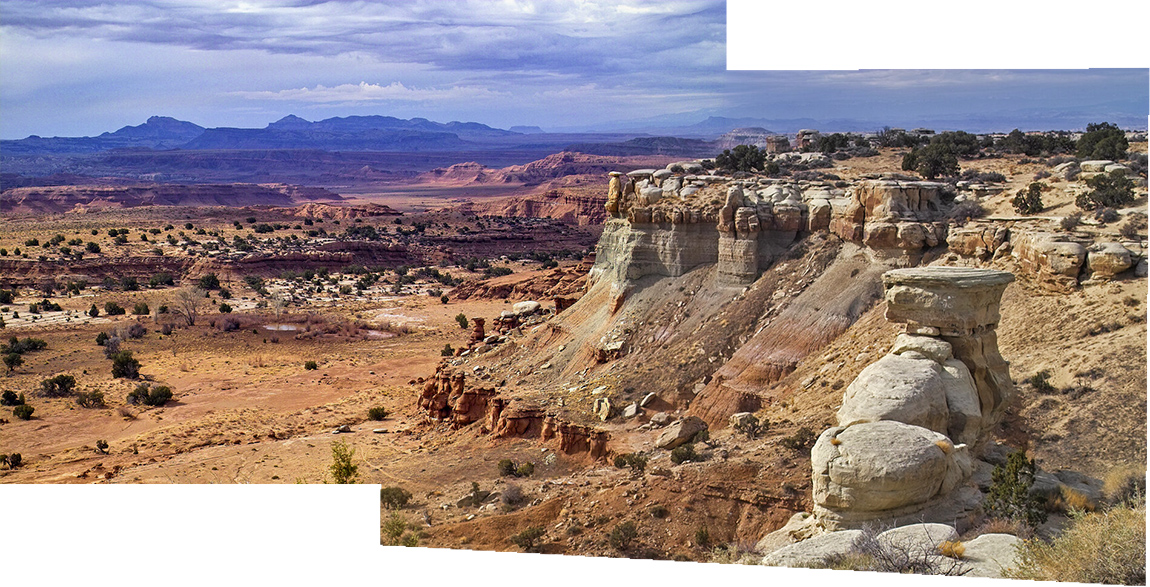
You have a substantial overlap for stitching. PS can merge your jpegs although the image on the right is lower than the one on the left. Which application were you trying to stitch these with?

larryj
Well-Known Member

Thanks Alan; this is similar to the result I got stitching with Photoshop or Lightroom. I may try again with Affinity Photo. It sometimes works when PS fails. I guess I could try auto fill in PS and see if it looks real.I know this overlook - a great place to stop in almost any season. I like the view in both directions.
You have a substantial overlap for stitching. PS can merge your jpegs although the image on the right is lower than the one on the left. Which application were you trying to stitch these with?
View attachment 61933
AlanLichty
Moderator
This was Photoshop's File>Automate>Photo Merge output. This isn't a failure on Adobe's part - those are the two images lined up side by side. Easy outcome to get if you aren't almost anal about setting your tripod so the camera mount is perfectly level when you swivel the camera. It might be interesting to use the new Remove tool on the blank space and see what it comes up with. It's a whole new generation of how to do fill operations. It actually makes an effort to create fill matching what else is in the scene.
Thanks Alan; this is similar to the result I got stitching with Photoshop or Lightroom. I may try again with Affinity Photo. It sometimes works when PS fails. I guess I could try auto fill in PS and see if it looks real.

Nice view. And yes if you check the content aware fill as part of the merge, it does a pretty good job.
AlanLichty
Moderator
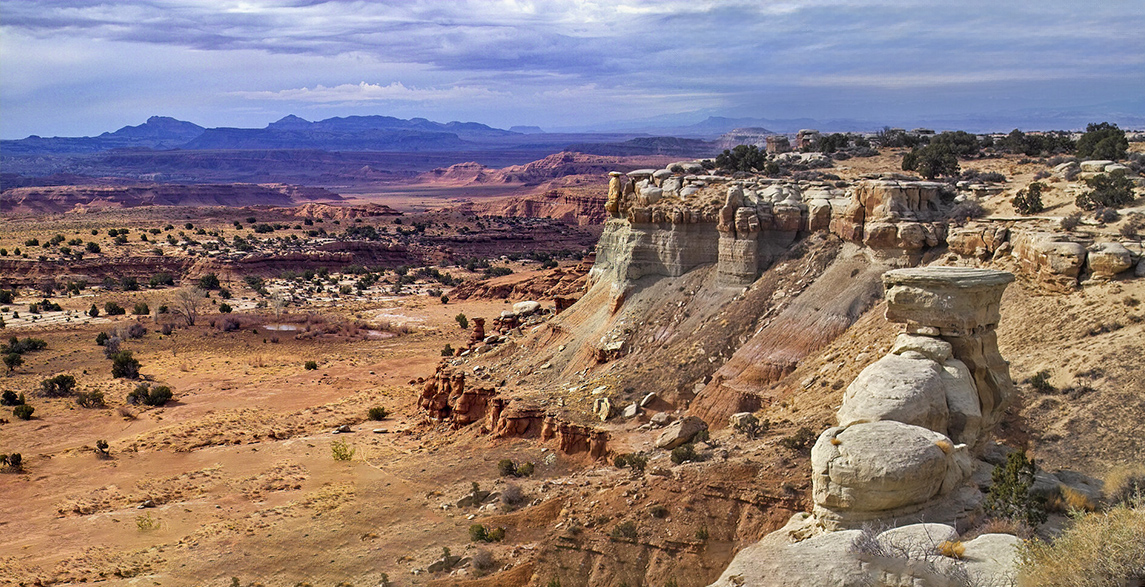
OK - I decided it would be fun to see what Photoshop could do with the blank areas with the remove and I have to say Adobe just blew my mind. I used the jpg file I posted above and just selected the blank areas one at a time.
larryj
Well-Known Member
Hi Alan: thanks for doing this pano using the content aware fill process on the individual empty spaces. I did the same procedure, but checked the content aware fill box on the bottom of the pano generating box, and it automatically fills the empty spaces. It looks to me that both methods work well. Below is my result!OK - I decided it would be fun to see what Photoshop could do with the blank areas with the remove and I have to say Adobe just blew my mind. I used the jpg file I posted above and just selected the blank areas one at a time.
View attachment 61940
Last edited:
AlanLichty
Moderator
Looks nice. I like this view as a panorama.
Give the remove tool a try sometime - the differences when you look up close at what each fill does are notable. Especially around the borders of the fill region.
Give the remove tool a try sometime - the differences when you look up close at what each fill does are notable. Especially around the borders of the fill region.


larryj
Well-Known Member
Thanks Alan I also like the panorama view! The remove tool also works, but it is not as clean as the content aware fill process.Looks nice. I like this view as a panorama.
Give the remove tool a try sometime - the differences when you look up close at what each fill does are notable. Especially around the borders of the fill region.
AlanLichty
Moderator
Interesting observation - I will have to compare the two techniques a bit closer.Thanks Alan I also like the panorama view! The remove tool also works, but it is not as clean as the content aware fill process.
larryj
Well-Known Member
Thanks Jim for your comments and a big shout out to Alan. I tried that pano a few years ago and had little luck short of cropping the top and bottom of the image and totally messing up the pano. The new content aware fill function in PS really does a good job!Hey Larry, it's been fun to read along here from the beginning to the end. I was having fun visualizing the pano at first, but to see you guys working together was really great. I must say that I really like the finished result.
larryj
Well-Known Member
Thanks Josh for the nice comments, they are very much appreciated.Nice composition with the full pano that you and Alan were able to put together. Really like the contrast between the dark sky and the foreground.