

Ken Rennie
Well-Known Member
This is a simple technique to get your white water in rapids, cascades and waterfalls looking white(ish) irrespective of the type of water. My example is from Wailing Widow falls in NW Scotland and the water is peaty brown. I have tried this with duck egg blue glacial run off and the same technique works. Note it works best if you have captured the original image in RAW but it does work with jpegs.
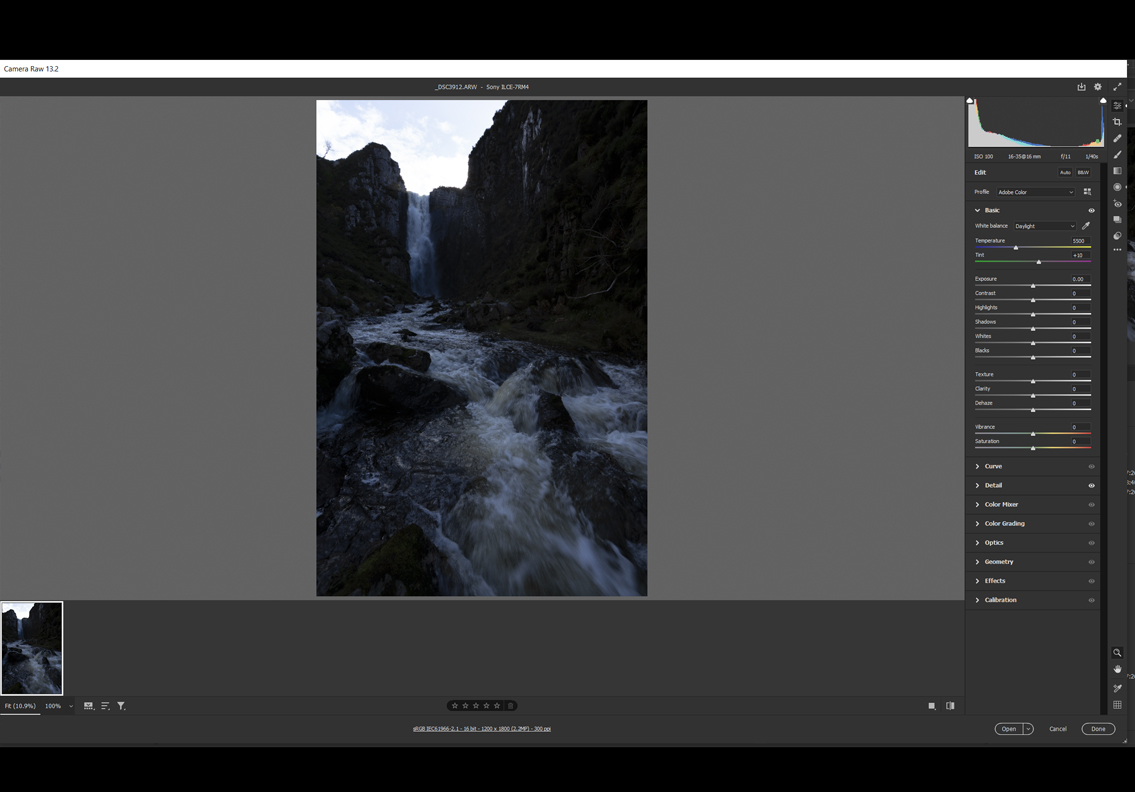
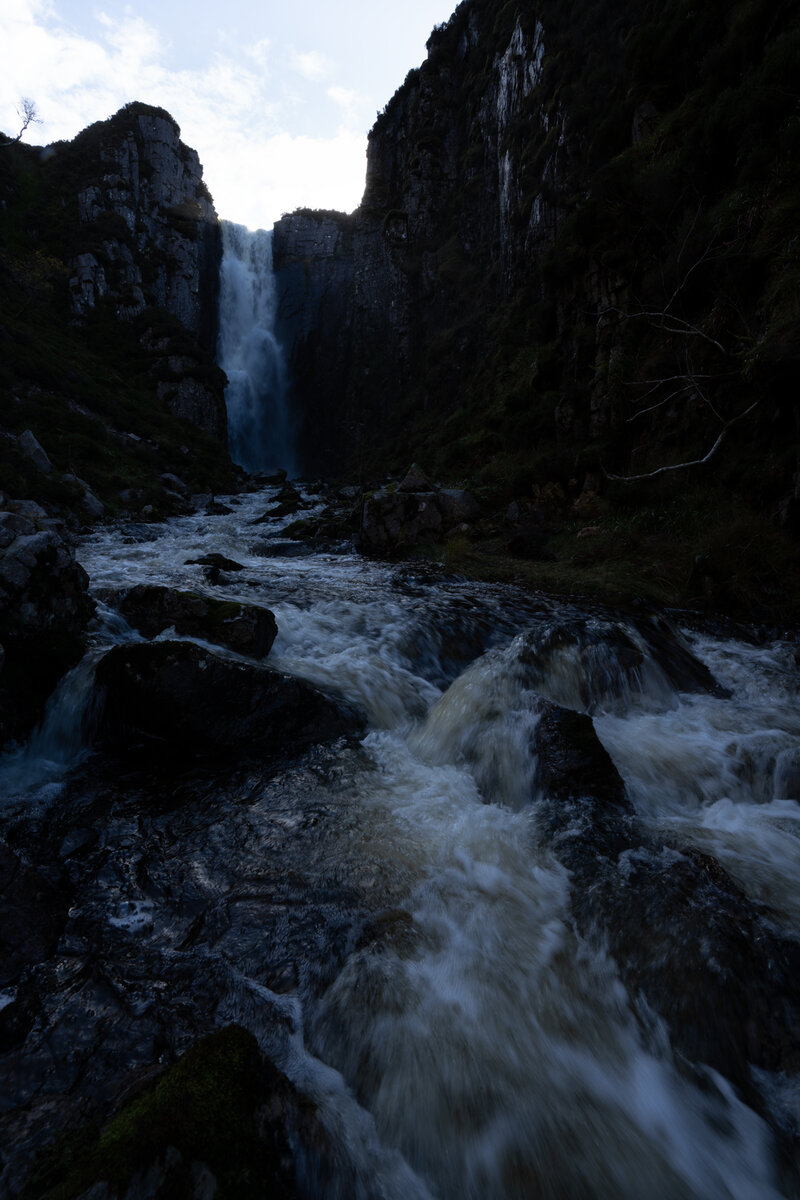
This is the original image, it has a very wide dynamic range much more than can be captured in one shot, it is very dark as I tried to capture it in one shot but didn't manage it as the sky is slightly burnt out.
I am going to perform some basic edits on the image, brightening it, lifting the shadows some and darkening the highlights. I am also applying much more saturation than I would normally use so that you can see the color balance shift. Note if you just look at this image (against a white background) it looks fairly normal apart from the blown highlights AND THE VERY BLUE WATERFALL
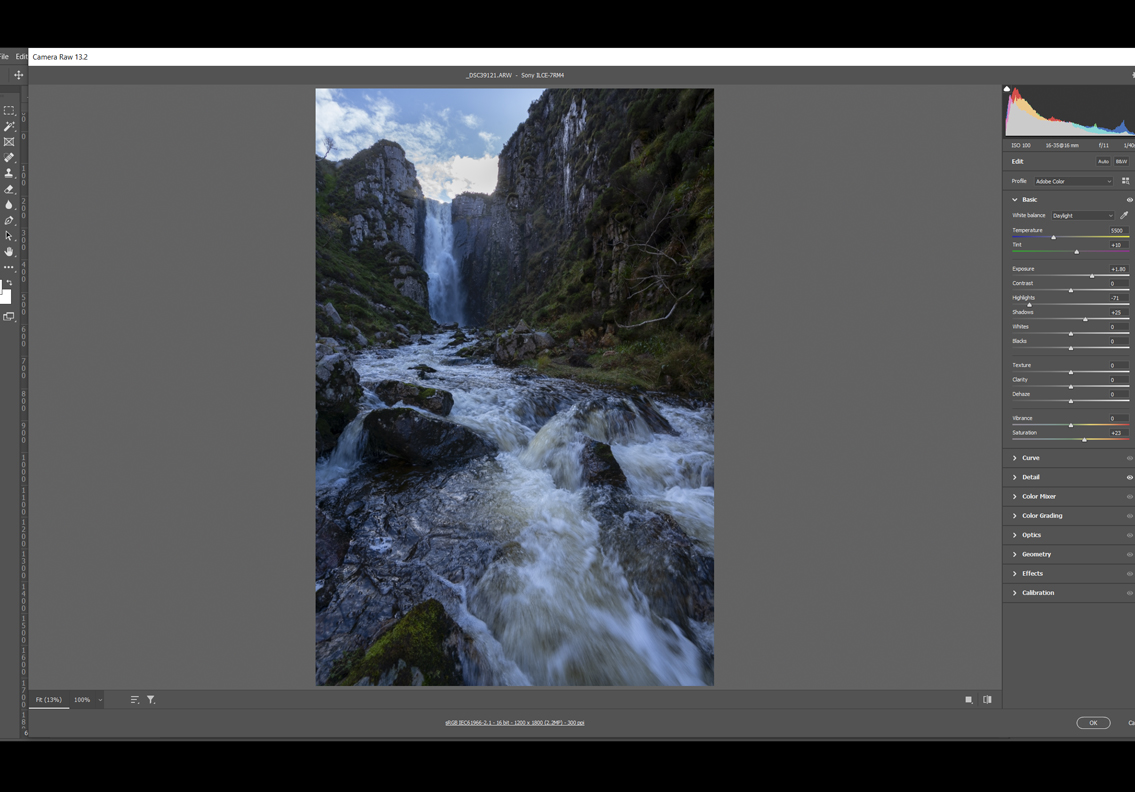

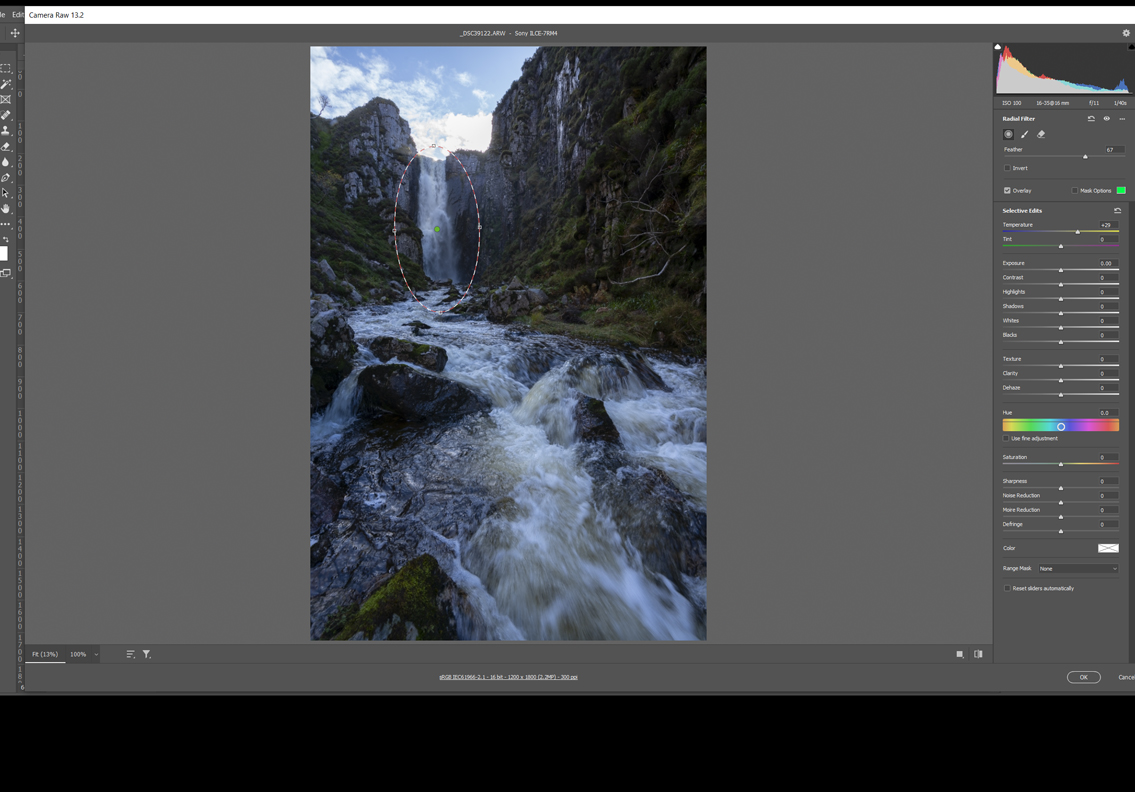
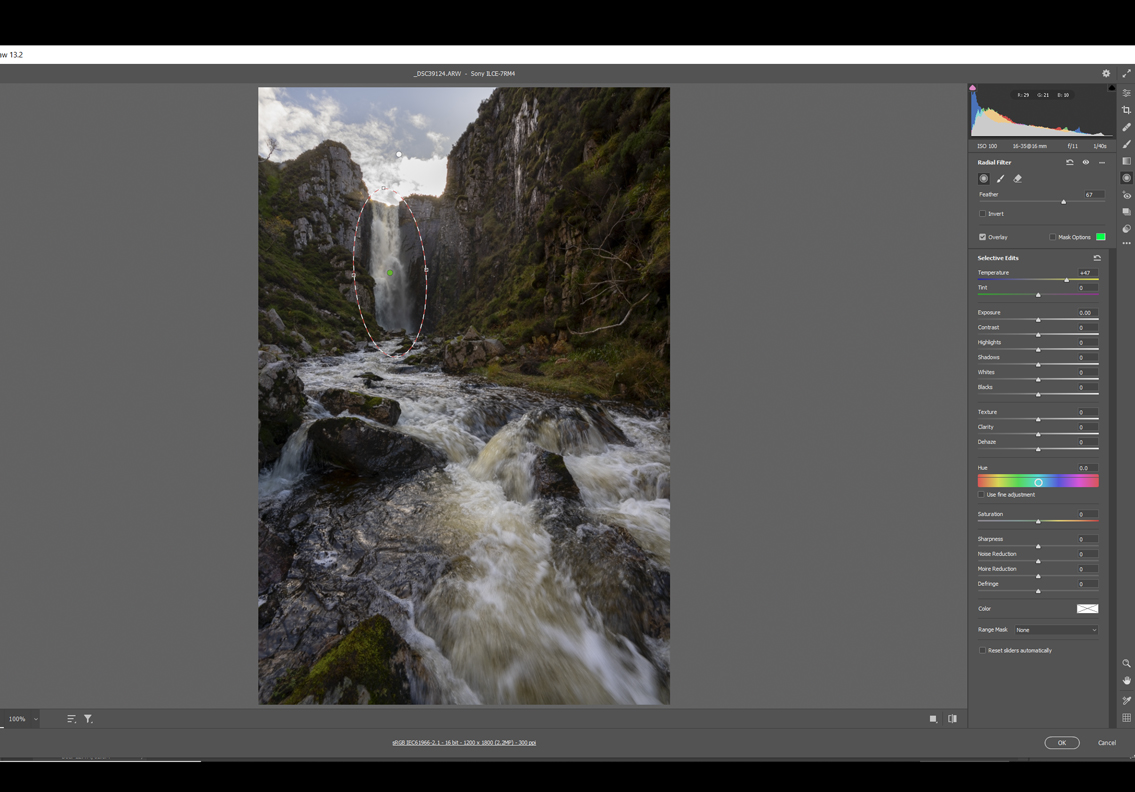
Now the simple trick in ACR or lightroom draw an ellipse around the waterfall and change the color balance so that it looks correct. It is up to you and your eyes ( later, in another post, I will describe a mathematical way of doing it and getting it "correct" but your eyes will get it right for you.

ALTERNATIVE METHOD GETTING THE WHITE WATER IN THE GORGE ACTUALLY WHITE.
This is the same as step 2 above but this time I have used the White balance dropper by clicking it on the central white foam 1/3rd of the way into the image( NOTE the sky will look overly yellow but correcting that is simple) Look at the previous images, they now look very blue don't they.
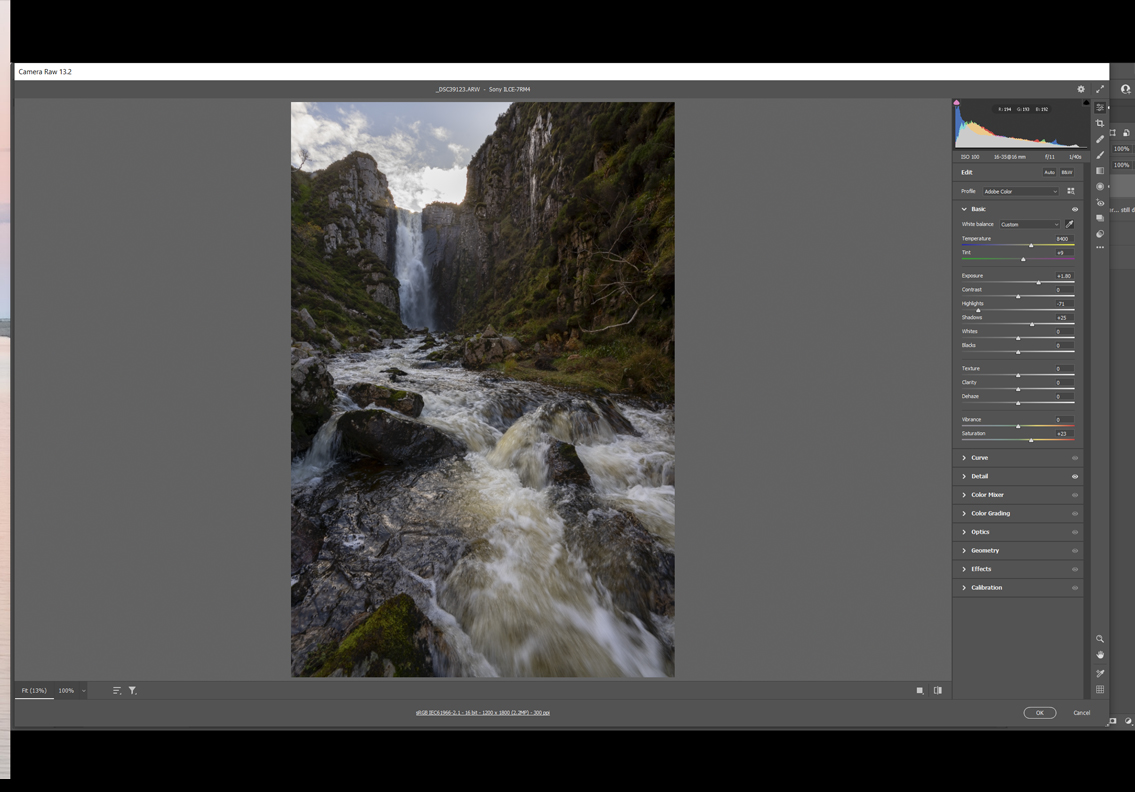
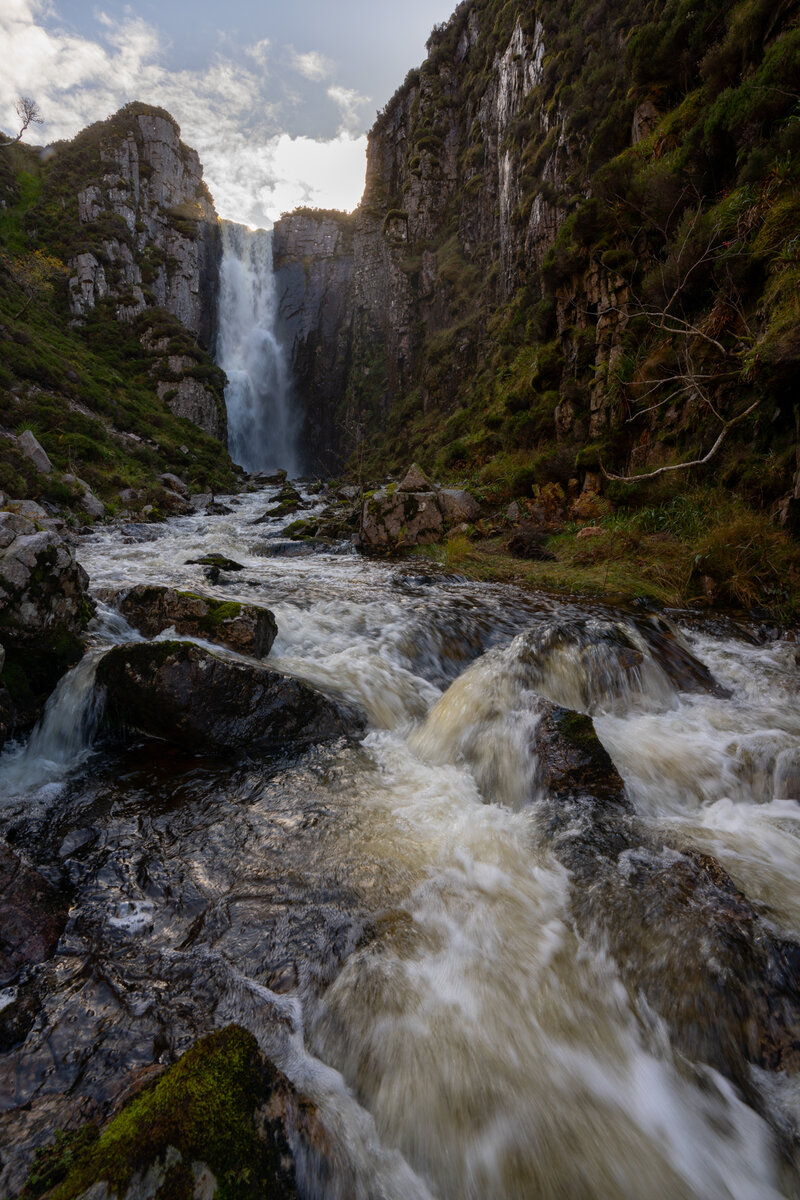
The gorge floor white water looks better but the actual waterfall still looks too blue
Simple in ACR or lightroom draw the ellipse and alter the color balance until it looks correct
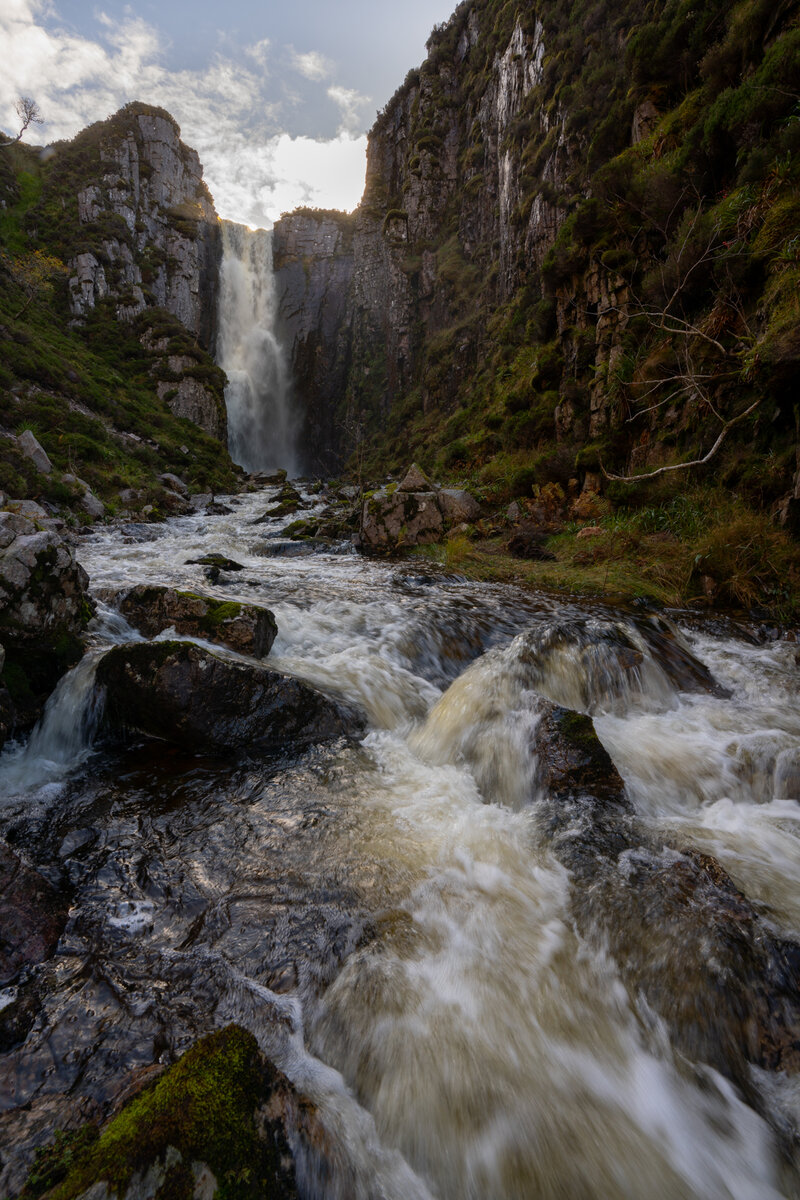
This is the simple version but it gets it close. This is a more complex image than many as the white balance is different on the gorge floor and the waterfall. In the final version you can see that the water is fairly brown although the very white foam is white. If you look closely at the waterfall you should note that the waterfall changes colour in 3 stages. The very top is slightly yellow where the sunlight is just catching it, white(ish) in the middle and slightly blue at the bottom where it is falling into deeper shade.
With an adjustment brush I could "fix" this but I will not at the present time. More to come later and happy Independence day when it comes. Ken
This is the original image, it has a very wide dynamic range much more than can be captured in one shot, it is very dark as I tried to capture it in one shot but didn't manage it as the sky is slightly burnt out.
I am going to perform some basic edits on the image, brightening it, lifting the shadows some and darkening the highlights. I am also applying much more saturation than I would normally use so that you can see the color balance shift. Note if you just look at this image (against a white background) it looks fairly normal apart from the blown highlights AND THE VERY BLUE WATERFALL
Now the simple trick in ACR or lightroom draw an ellipse around the waterfall and change the color balance so that it looks correct. It is up to you and your eyes ( later, in another post, I will describe a mathematical way of doing it and getting it "correct" but your eyes will get it right for you.
ALTERNATIVE METHOD GETTING THE WHITE WATER IN THE GORGE ACTUALLY WHITE.
This is the same as step 2 above but this time I have used the White balance dropper by clicking it on the central white foam 1/3rd of the way into the image( NOTE the sky will look overly yellow but correcting that is simple) Look at the previous images, they now look very blue don't they.
The gorge floor white water looks better but the actual waterfall still looks too blue
Simple in ACR or lightroom draw the ellipse and alter the color balance until it looks correct
This is the simple version but it gets it close. This is a more complex image than many as the white balance is different on the gorge floor and the waterfall. In the final version you can see that the water is fairly brown although the very white foam is white. If you look closely at the waterfall you should note that the waterfall changes colour in 3 stages. The very top is slightly yellow where the sunlight is just catching it, white(ish) in the middle and slightly blue at the bottom where it is falling into deeper shade.
With an adjustment brush I could "fix" this but I will not at the present time. More to come later and happy Independence day when it comes. Ken
Last edited:

