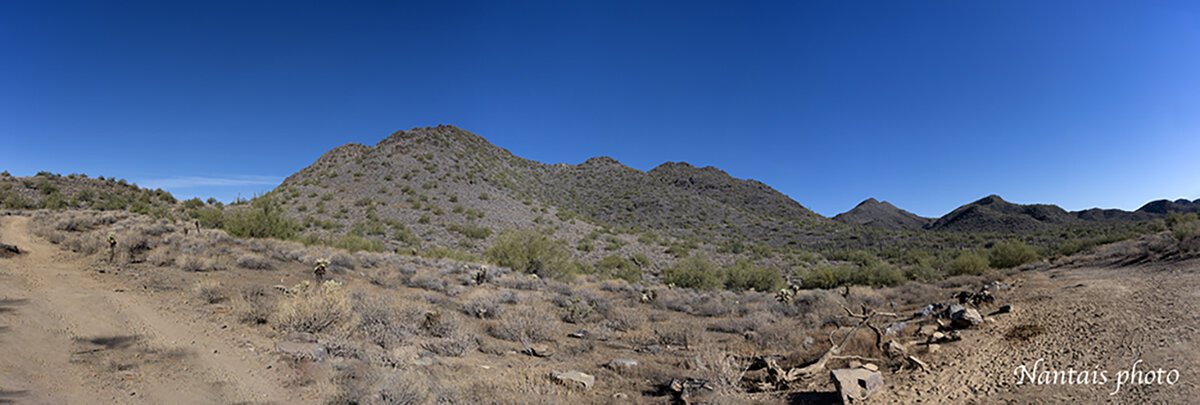
Rick I have spent many hours trying to even up skies like this. At the risk of teaching grannies to suck eggs here is what I have learned. Firstly when producing the panorama do not apply any global light changes to the individual files before merging them into the panorama ie no changes to light, contrast, highlights, shadows, whites or blacks even if you apply the same changes to all of the files. Light, contrast etc. are dynamic and the changes are dependant upon the image itself ie applying a -50 change in highlights will probably change the highlights differently in different files. Of course apply profile corrections. When taking the images it is important not to have a polariser fitted even if it has been turned to minimum effect. It is possible to produce a very wide panorama with minimal changes to blue skies across the entire width, this is approx 150 degree from 15 vertical files, the colour does vary across the sky but this is a smooth gradation and doesn't come and go. If all fails I resort to inserting a sky. In photoshop I set the foreground colour to the darkest colour and the background colour to a lighter colour near the horizon and use the gradient tool to produce a dark to light blue gradient and insert it into your pano. If it looks a little too perfect I turn the opacity of the gradient layer down to allow some of the original variation through. Hop this helps. Ken
There is an issue with Uploading Photos (attachjments). I am not sure what the problem is, and I am looking into it. You can still try to Create your Threads and Upload your Photos, but it is hanging up during the Upload.