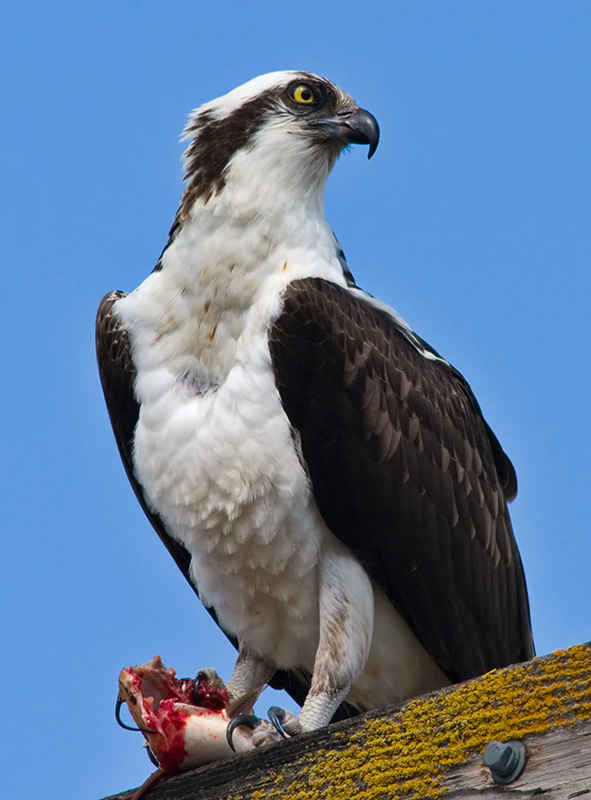
Lunchtime

Kyle Jones

Moderator
I liked it when it first came up on my screen. And then I scrolled down and saw his lunch. Very cool!

As to the "expand" thought... I wonder if it is because you're posting from the gallery rather than uploading to your post.
 

Ben Egbert

Forum Helper
Staff member
I liked it when it first came up on my screen. And then I scrolled down and saw his lunch. Very cool!

As to the "expand" thought... I wonder if it is because you're posting from the gallery rather than uploading to your post.
That could be, I always post from my gallery. I see that for many images I have to click on the image which takes me to the gallery, and a second time to expand it. Might depend on what size it is, this one seems to go directly to full size.
 

ckcarr

Founding Member
I thought that was my osprey!

I think Kyle is right. I always upload the images to the forums. And then also make sure I click on the button for "full image"

I plan on rotating images in and out of my gallery and trying to keep a small number, but fresh, pictures in it so I won't link to it.
 
Last edited:

AlanLichty

Moderator
Actually the "click to expand" seems to only appear on landscape oriented shots above a certain size. The same size in the vertical aspect of a portrait orientation doesn't do that. If you had a portrait shot with a width of 1400 pixels it might trigger the expansion notice.

Nice shot on the osprey BTW.
 
Top Bottom