

AlanLichty
Moderator
I was browsing on Tony Kuyper's website a couple of days ago and stumbled across his blog discussing linear color profiles. He recently became a fan and discussed his M.O. for using them which pretty much mirror others who have explored their applicability. The blog then presented a whole boatload of ready to install linear profiles for many different cameras. I already have linear profiles for my drones and cameras but had never set any up for use with RAW iPhone imagery. I downloaded a set (one for each lens) for both the iPhone 13 Pro as well as my current iPhone 15 Pro to give it a try. The profile downloads are free FWIW.
I have been shooting in RAW on iPhones for several years now but have always noted some frustrations with blocked up shadows and borderline highlights that aren't as responsive to tweaks using Adobe's Camera RAW controls (LR/ACR) as the rest of my camera gear. I always chalked it up to Apple's computational photography approach and accepted things for what they were. As I just found out this wasn't an inevitable outcome and most of the tweaks I wasn't happy with were in Apple's ProRAW profiles and could be bypassed for a more pleasing result at least for my feeble eyes.
Here are a pair of iPhone captures - one indoors and one outdoors comparing images processed using Apple's ProRAW profile along with one using linear profiles.
EDIT: - here is the link to one of Tony's Blog articles on Linear Profiles with links to the Profile repository. The link above is to the Tony Kuyper web site and not to the specific blog article. Here is a link to the original Linear Profile article and the camera model repository.
First up are some geraniums outside of a local grocery store after a morning shower passed by.
Apple ProRAW - almost over the top saturation with the bloom colors and blocky shadows. Lots of contrast too.
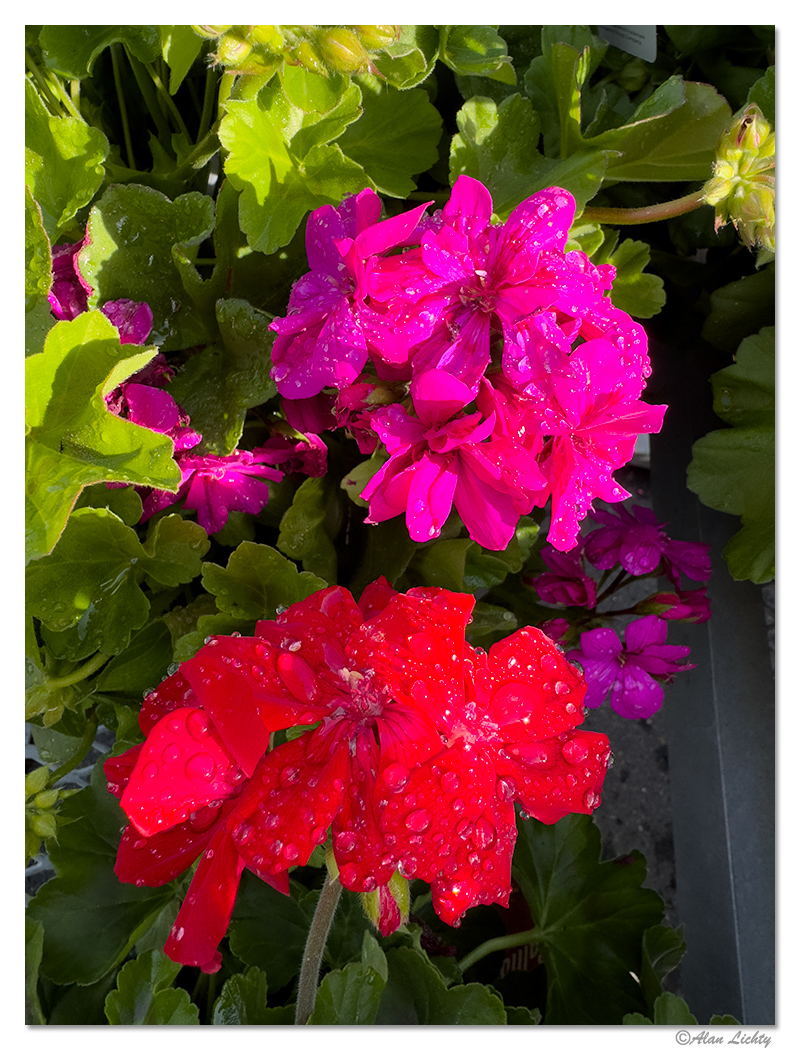
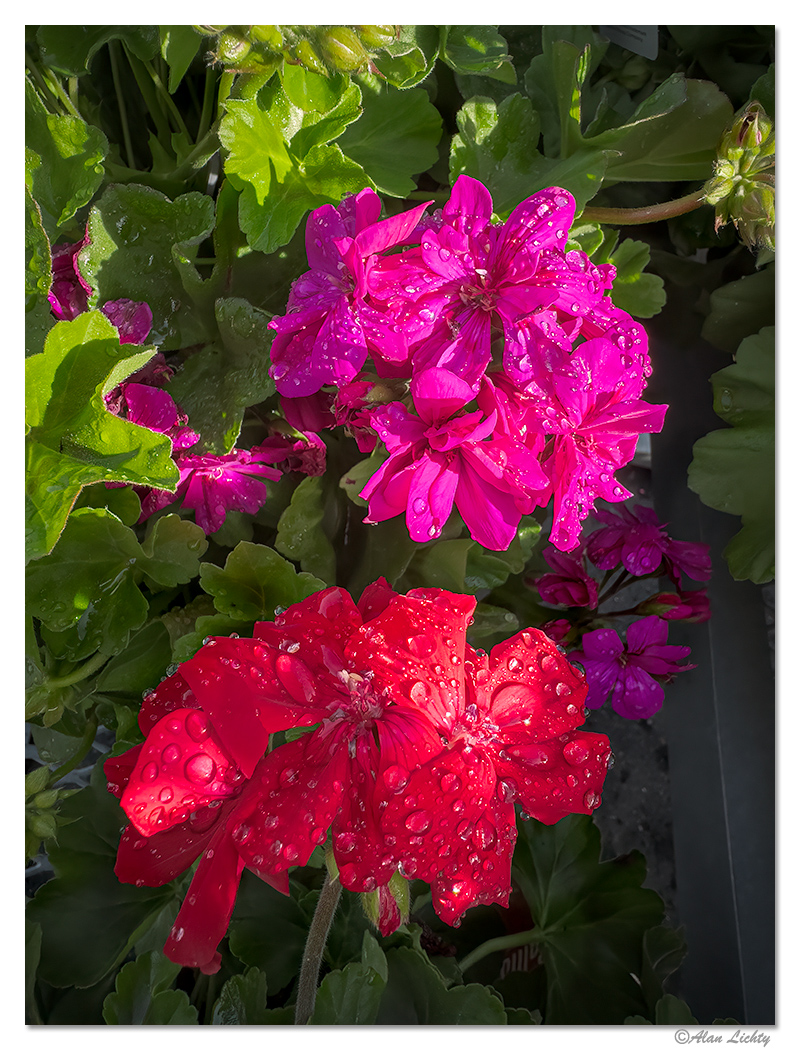
A version processed using a Linear profile:
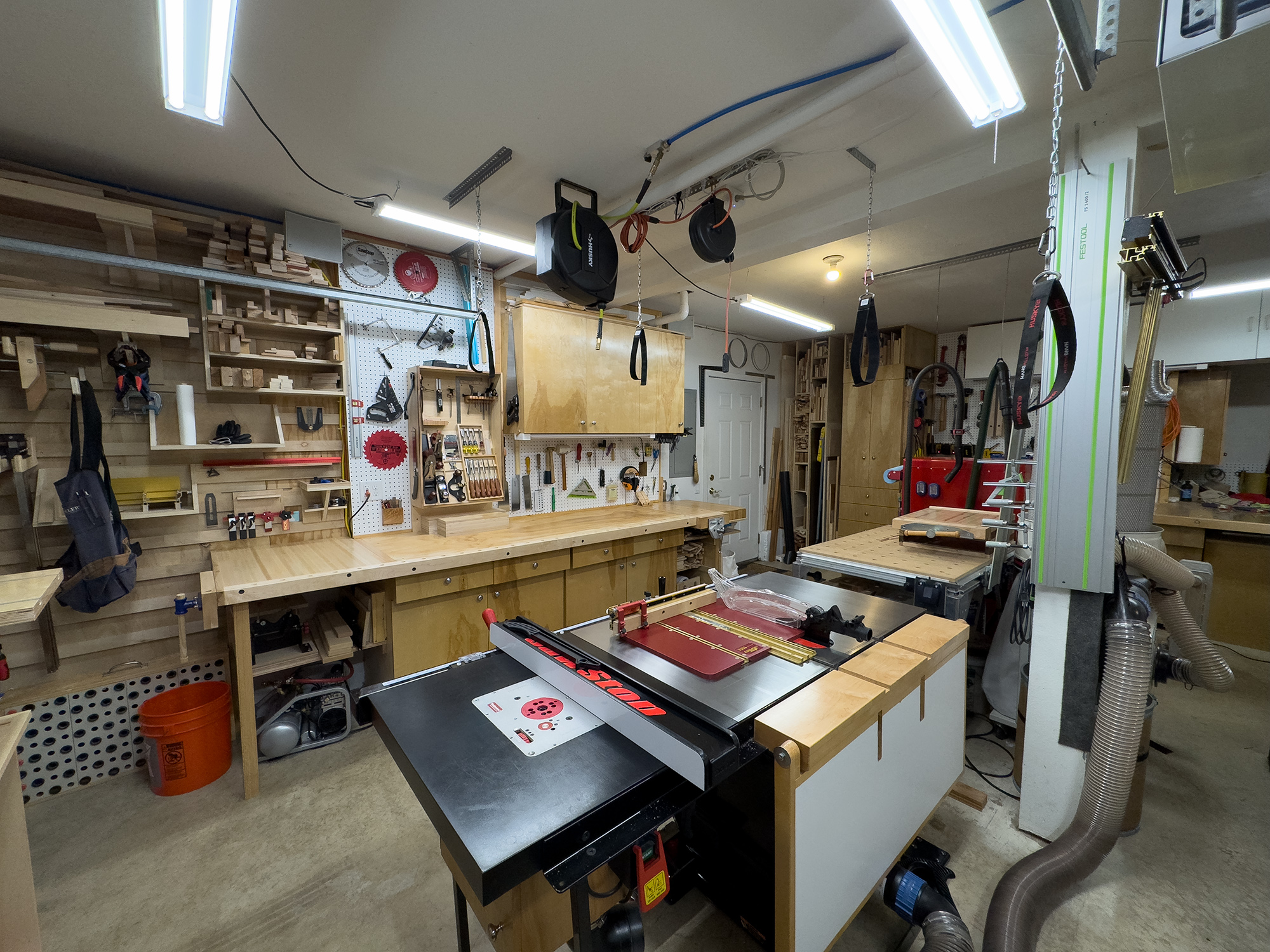
An indoor set with a shot of my workshop. The challenges here are the blacks of my table saw as well as the bare tubes of the overhead lighting. Also a bit of a bluish cast overall and strong shadows.
The Linear version with a much more realistic rendering of the actual colors and more controlled darks/lights:
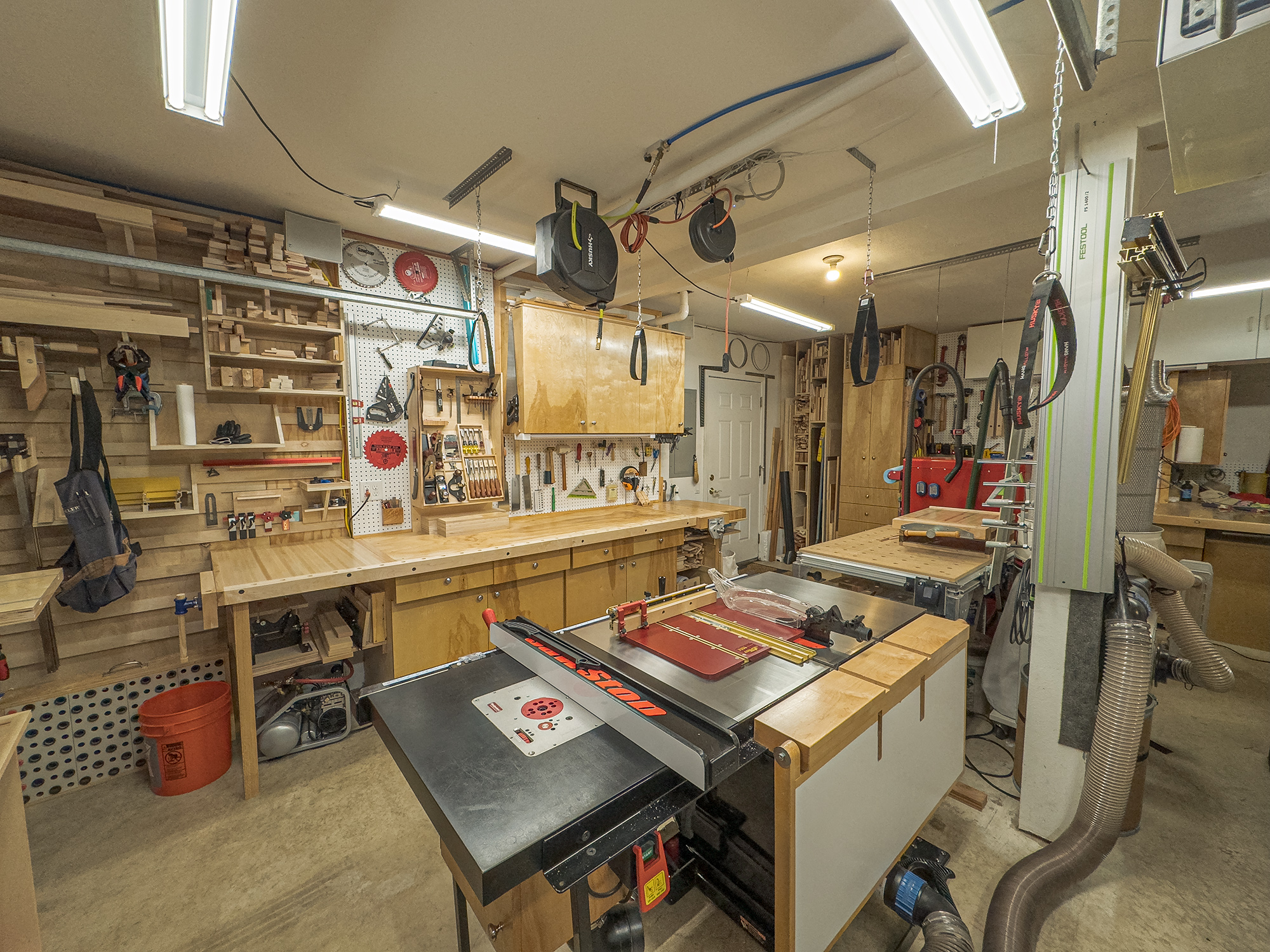
My conclusion so far is that while I like the iPhone for quick shots on the run I feel like using the linear profiles will result in much better images for shots where I want a more serious and accurate depiction of what I was shooting.
I have been shooting in RAW on iPhones for several years now but have always noted some frustrations with blocked up shadows and borderline highlights that aren't as responsive to tweaks using Adobe's Camera RAW controls (LR/ACR) as the rest of my camera gear. I always chalked it up to Apple's computational photography approach and accepted things for what they were. As I just found out this wasn't an inevitable outcome and most of the tweaks I wasn't happy with were in Apple's ProRAW profiles and could be bypassed for a more pleasing result at least for my feeble eyes.
Here are a pair of iPhone captures - one indoors and one outdoors comparing images processed using Apple's ProRAW profile along with one using linear profiles.
EDIT: - here is the link to one of Tony's Blog articles on Linear Profiles with links to the Profile repository. The link above is to the Tony Kuyper web site and not to the specific blog article. Here is a link to the original Linear Profile article and the camera model repository.
First up are some geraniums outside of a local grocery store after a morning shower passed by.
Apple ProRAW - almost over the top saturation with the bloom colors and blocky shadows. Lots of contrast too.
A version processed using a Linear profile:
An indoor set with a shot of my workshop. The challenges here are the blacks of my table saw as well as the bare tubes of the overhead lighting. Also a bit of a bluish cast overall and strong shadows.
The Linear version with a much more realistic rendering of the actual colors and more controlled darks/lights:
My conclusion so far is that while I like the iPhone for quick shots on the run I feel like using the linear profiles will result in much better images for shots where I want a more serious and accurate depiction of what I was shooting.
Last edited:


