Let’s play #17

Status
Not open for further replies.

Ben Egbert

Forum Helper
Staff member
See the let’s play guidelines above

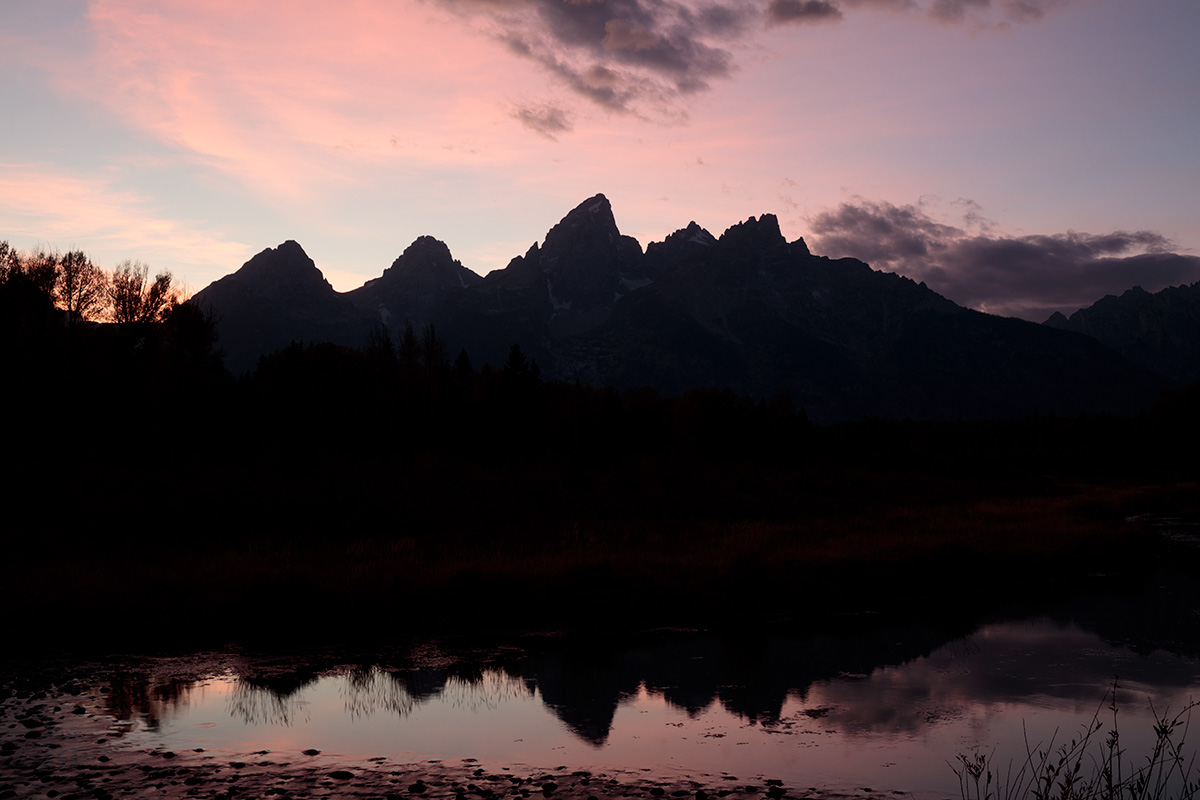
This weeks image is one of mine from the Tetons. Some of you may be able to extract shadows from the dark image, but I think most of you will want to blend them so I am offering two images this week.

There are many ways to blend, but be sure to check out Jim's luminosity mask here:

https://www.focalworld.com/index.php?articles/ps-simple-luminosity-mask.17/

Show us what you would do with it.

Here is a link to the light download.

https://www.focalworld.com/index.php?resources/lets-play-17.29/

Here is a link to the dark download.

https://www.focalworld.com/index.php?resources/lets-play-17-dark.30/

The embedded images are small jpg’s of the raw, but use the download dng files for rework.

Light version
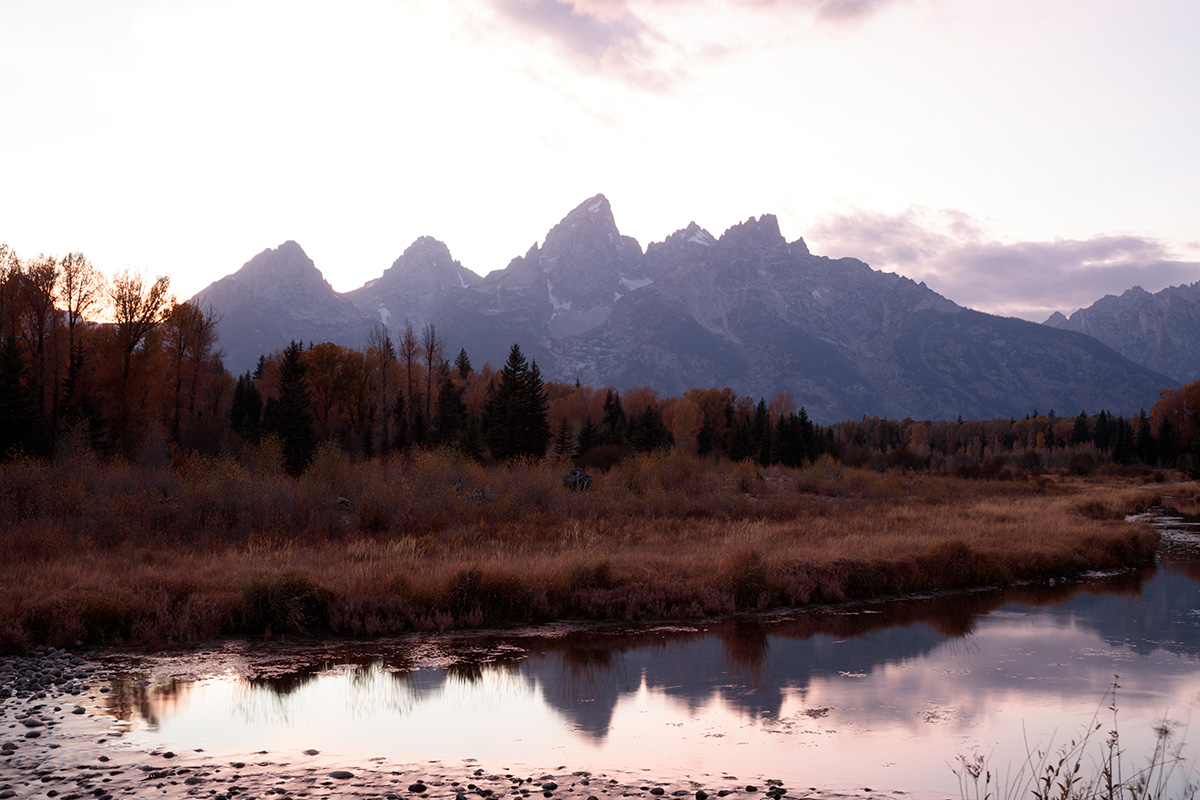
180927-9275-5DS R.jpg


Dark version
180927-9280-5DS R.jpg
 

Ben Egbert

Forum Helper
Staff member
No takers? I am not entering the contest since it's my image. But I just downloaded the two DNG's and used Jim's method to blend them. Then I applied Topax exposure and Topaz Studio contrast and color boost 2 using luminosty to avoid the over processed look. It took all of 10 minutes.

Give it a try.

180927-9275-5DS R ben.jpg
 

Jameel Hyder

Moderator
Staff member
Here is my attempt. Spent more time than I anticipated or wanted to. Not quite the effect I wanted however esp. the mountain - it probably requires a bracket of more than 2. Anyway here it is.

180927-9275-5DS R.jpg
 

Ben Egbert

Forum Helper
Staff member
This is nice and so far the only entry. Thanks for doing this. I have more brackets but. I only needed the two
 

JimFox

Moderator
Staff member
Here is mine Ben, I didn't care for all of the magenta cast. I wouldn't think it was really there, but simply what the camera picks up in low light.

Ben_180927-9280-5DS R_dw.jpg
 

Ben Egbert

Forum Helper
Staff member
Thanks Alan, this is similar to mine with a little more weight to the brighter image and less to the dark.

Here is mine Ben, I didn't care for all of the magenta cast. I wouldn't think it was really there, but simply what the camera picks up in low light.

View attachment 14639
Thanks Jim, this is much brighter and warmer than I recall but it looks nice.


Thanks Darcy, glad you took a shot at it, another version in a similar rendering to mine, but different too.

I should note, the way I bracket these types of images is to shot one 3 shot bracket exposed on the sky, and one three shot bracket exposed on the foreground. Then I select the brightest sky shot that is not blown, and the brightest foreground shot that has no blown foreground.
 

AlanLichty

Moderator
Thanks Alan, this is similar to mine with a little more weight to the brighter image and less to the dark.
To be honest I didn't use the light image at all - this is entirely from the dark one. Between the recovery capabilities of the current versions of Lightroom and the increased dynamic range of our cameras I find bracketing to be a waste of time any more. I might try one more edit on the image after looking at the result a bit since I think there is more detail and color balancing that can be done.
 

JimFox

Moderator
Staff member
Thanks Alan, this is similar to mine with a little more weight to the brighter image and less to the dark.


Thanks Jim, this is much brighter and warmer than I recall but it looks nice.


Thanks Darcy, glad you took a shot at it, another version in a similar rendering to mine, but different too.

I should note, the way I bracket these types of images is to shot one 3 shot bracket exposed on the sky, and one three shot bracket exposed on the foreground. Then I select the brightest sky shot that is not blown, and the brightest foreground shot that has no blown foreground.
Hey Ben, mine was cooled down not warmed up. :) If anything I think the other edits so far are too warm and too magenta in the ground layer. The magenta you are capturing and isn't being removed is from your camera adding in the magenta in the shadows, it wasn't really there. Jameel does the best in his 2nd entry so far in removing the magenta cast I think.
 

Ben Egbert

Forum Helper
Staff member
Here is my replacement entry. Was not happy with my earlier attempt anyway.

View attachment 14660

I do like this better. You had trouble the first time with part of the mountain too light compared to the sky, I ran into that problem myself.

Thanks Amy, I like this one too.

Hey Ben, mine was cooled down not warmed up. :) If anything I think the other edits so far are too warm and too magenta in the ground layer. The magenta you are capturing and isn't being removed is from your camera adding in the magenta in the shadows, it wasn't really there. Jameel does the best in his 2nd entry so far in removing the magenta cast I think.
Hey Jim, I always think cool is darker and warm is brighter. I look more at the red/yellows than I do the mountains. Anyway, thats why I thought your was warmer.
 
Status
Not open for further replies.
Top Bottom